RepoTailor Vorschau (as of 29 November 2026): nothing published yet – download in preparation. Nothing gets lost, no account, no telemetry. What’s inside → +43 664 1964199Contact →
Git client where nothing gets lost

Git where nothing gets lost.

Every action has a plan, a backup and an undo. No account, no telemetry, a Rust core, native on macOS and Windows.

In preparation · macOS · Windows · CLI · Open source (Apache 2.0)

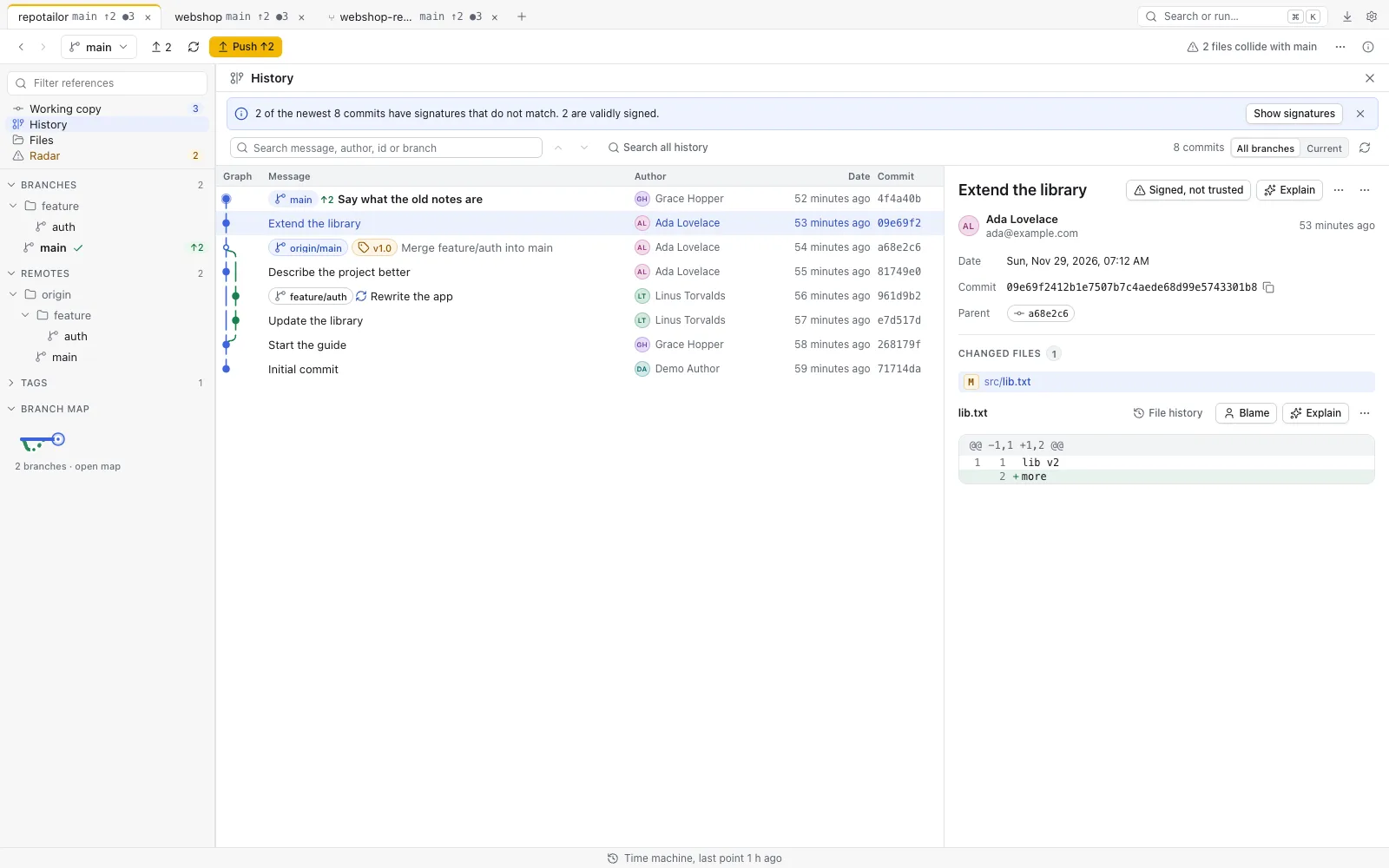
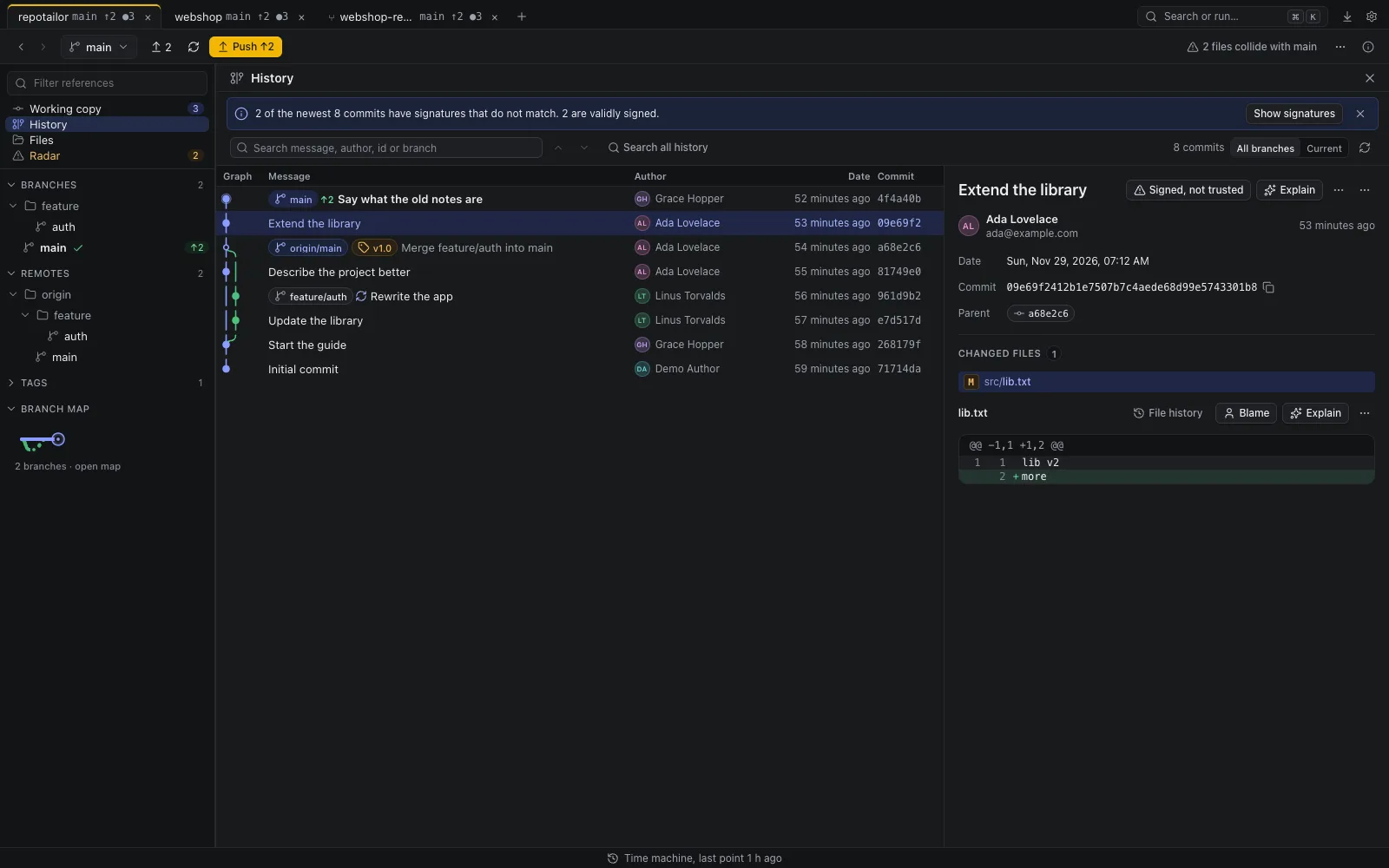
Main window with three repository tabs, context bar with branch and sync, sidebar with places and reference tree, history and an inspector showing the selected commit.Main window with three repository tabs, context bar with branch and sync, sidebar with places and reference tree, history and an inspector showing the selected commit.
  • ⌘ZUndo for every action, with a backup ref
  • 0Accounts. No login, no telemetry
  • 500 msBudget for cold start – a release gate
  • 100,000Commits in the graph: budget under 1500 ms to the first rows
  • 1 corefor the app, the command line and MCP
  • 5 hostsGitHub, GitLab, Bitbucket, Azure DevOps, Gitea – all in Free

The small figures are sources: tap one to see the source and check date, all of them are at the bottom of the page. The numbers are budgets (limits), not measurements.

A product ofCloudDNAThe SAP & AI experts from Austria!
Coming from somewhere else?

GitKraken, Tower, Fork: compared honestly.

With sources, as of 28 Nov 2026 – and with where the other tool is the better choice.

Why RepoTailor exists

Git is powerful. And sometimes irreversible.

A wrong reset, a rebase on the wrong branch, a pull with uncommitted changes – and a day's work is gone. Most clients give you buttons; few catch you:

  1. Digging in the reflog
  2. Forgetting git stash
  3. Force push without a lease
  4. A merge conflict only at pull time
  5. A secret in a commit
  6. A crash in the middle of a rebase

The reflog is there, but nobody reads it at eleven at night. And what was never committed is not in it either.

The safety net belongs in the client, not in your memory.

BeforeWith RepoTailor
A reset, and the work is goneUndo for every action; the time machine also brings back what was never committed
Rebase blind, see the result afterwardsA dry run shows graph and diff beforehand
Conflicts only at merge timeThe radar tells you beforehand which files collide with main or a pull request
Switching branch means stashingChanges are parked per branch and come back
A secret in a commitA scan before every commit and push, rescue with undo
Create an account before the first commitDownload, open a folder, ⌘/Ctrl+Enter

The whole story: why we build RepoTailor →

What RepoTailor can do

From the first commit to the agent that proposes it.

Everything in this section is in Free, free and open source. The app's interface is in English; the screenshots show the app in a browser harness with made-up sample data and were taken before the rename.

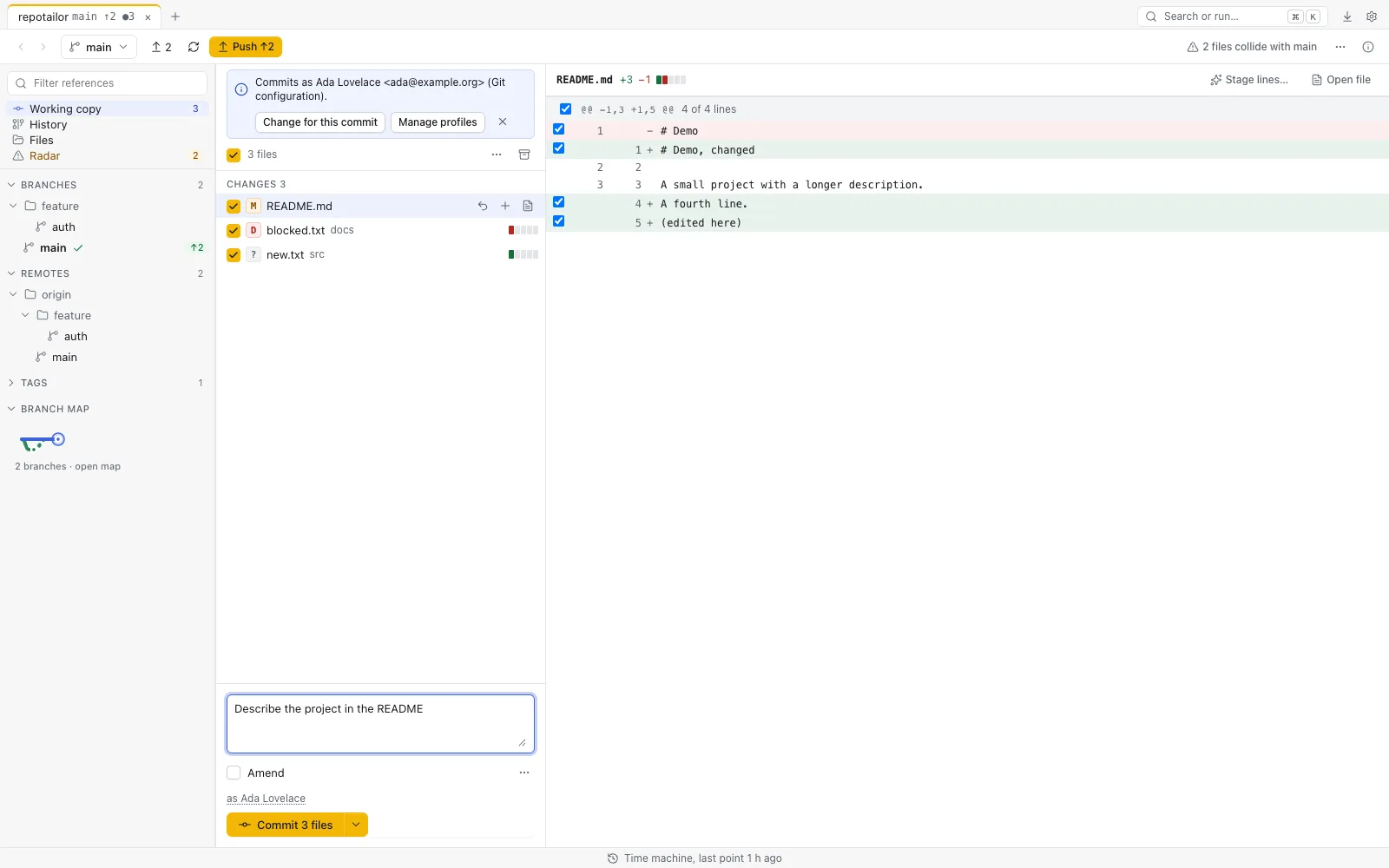
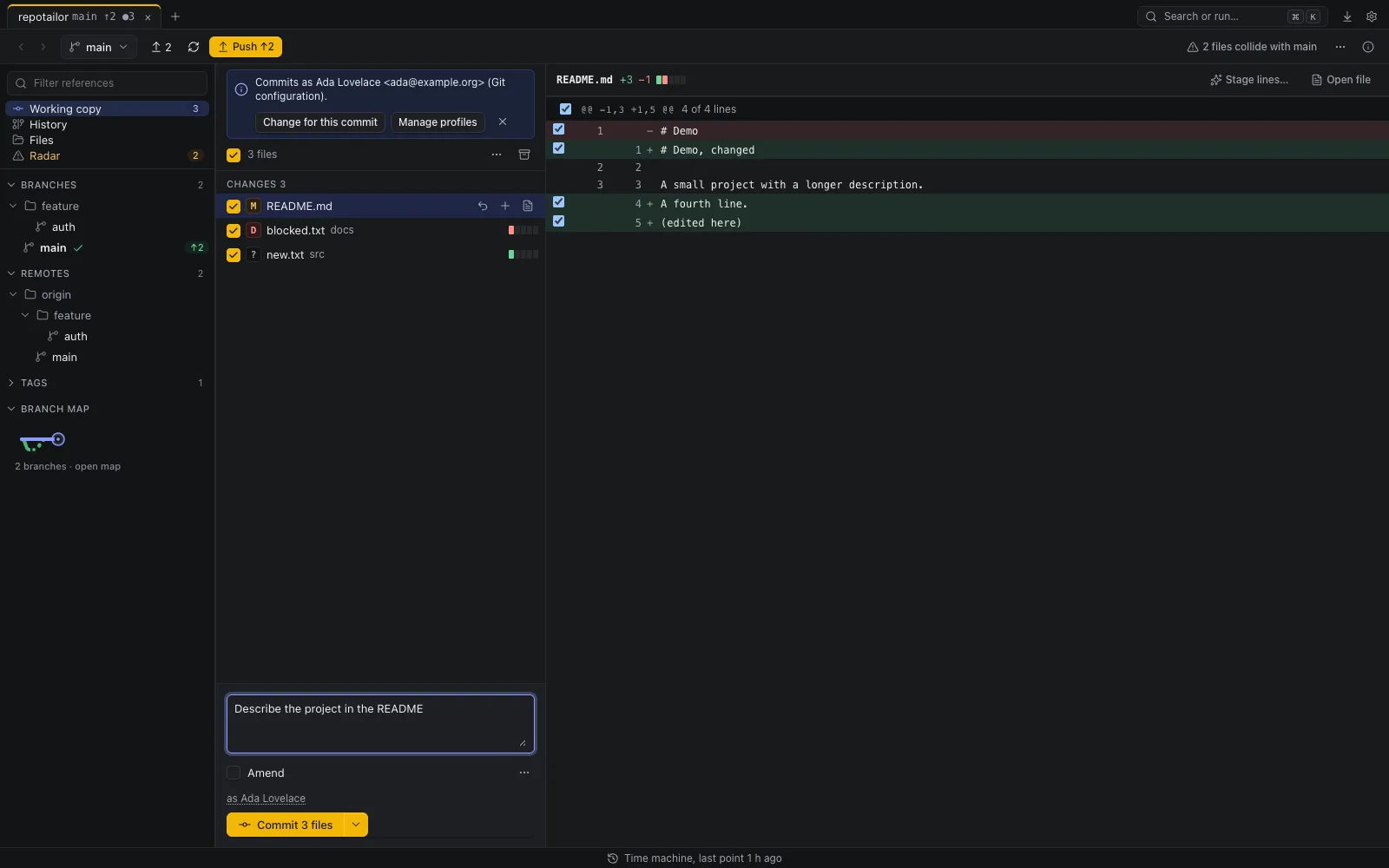
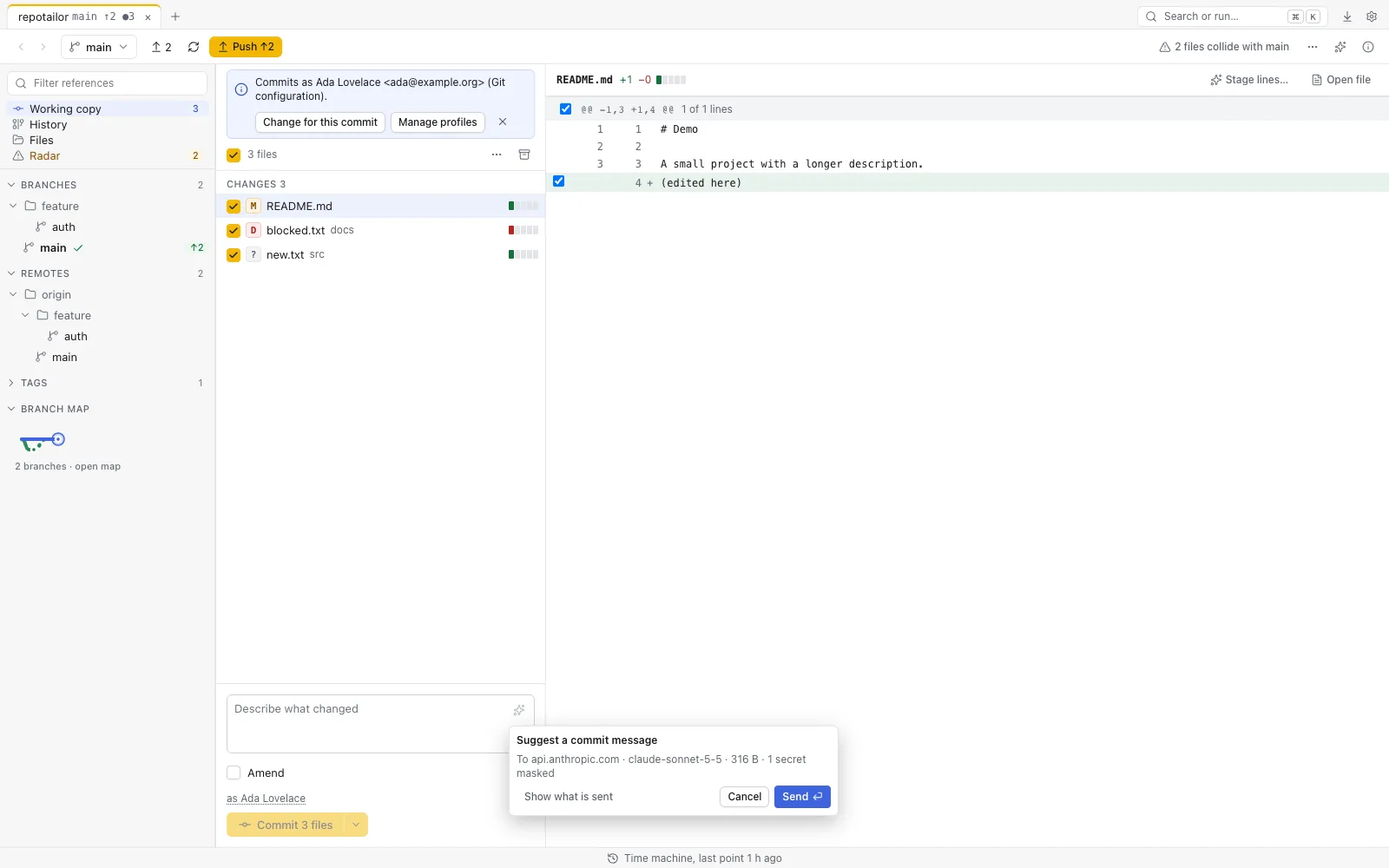
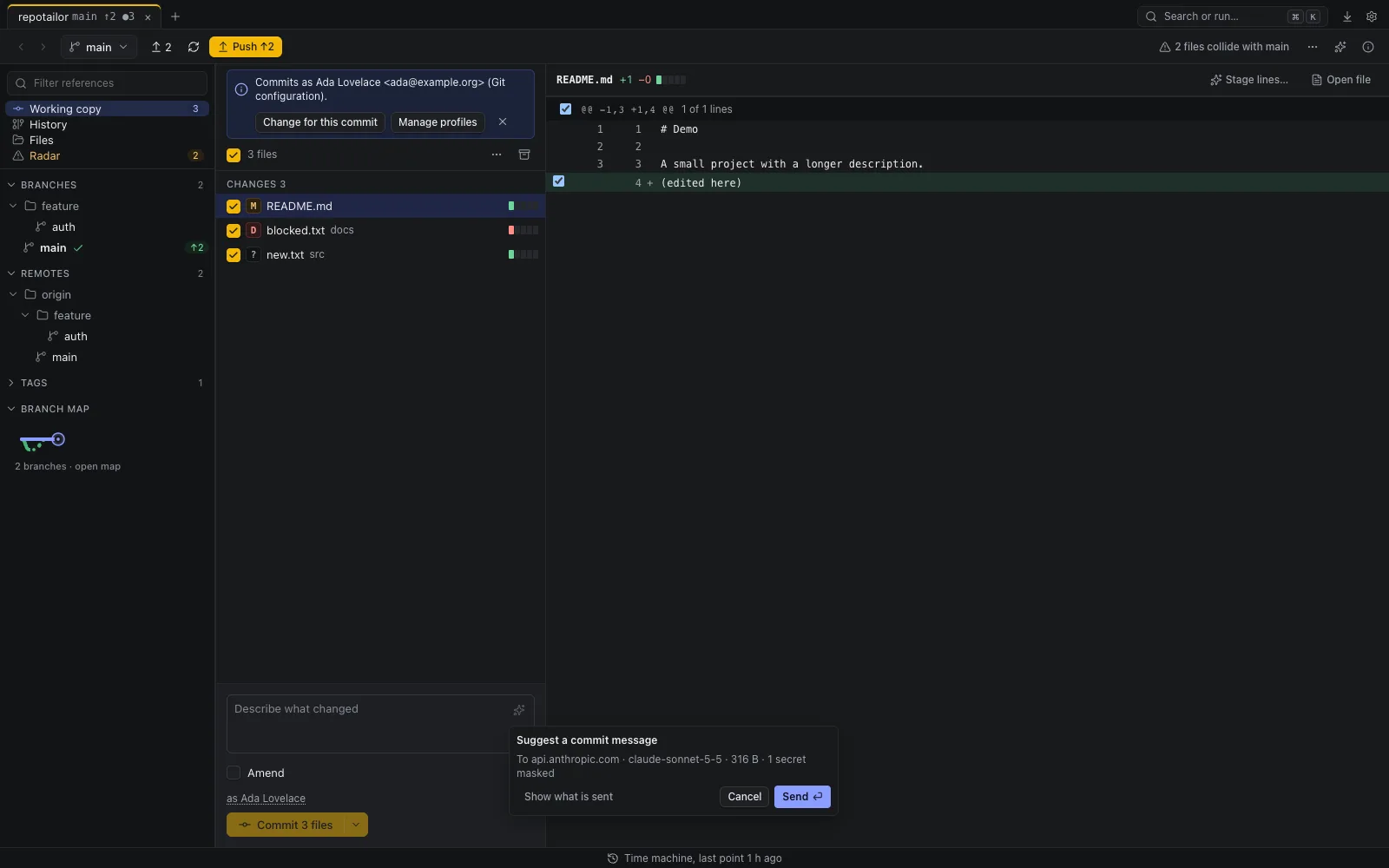
Changes view: on the left the file list with checkboxes and plus/minus bars, below it the commit box with a typed message, on the right the diff with line checkboxes.Changes view: on the left the file list with checkboxes and plus/minus bars, below it the commit box with a typed message, on the right the diff with line checkboxes.
Daily work · Free

Two keystrokes to a commit.

Commit without staging as the default – or stage by file, hunk and line. Tabs, quick switcher, a graph with 100,000 commits, blame, reflog, signing, profiles per folder.

Daily work in detail →

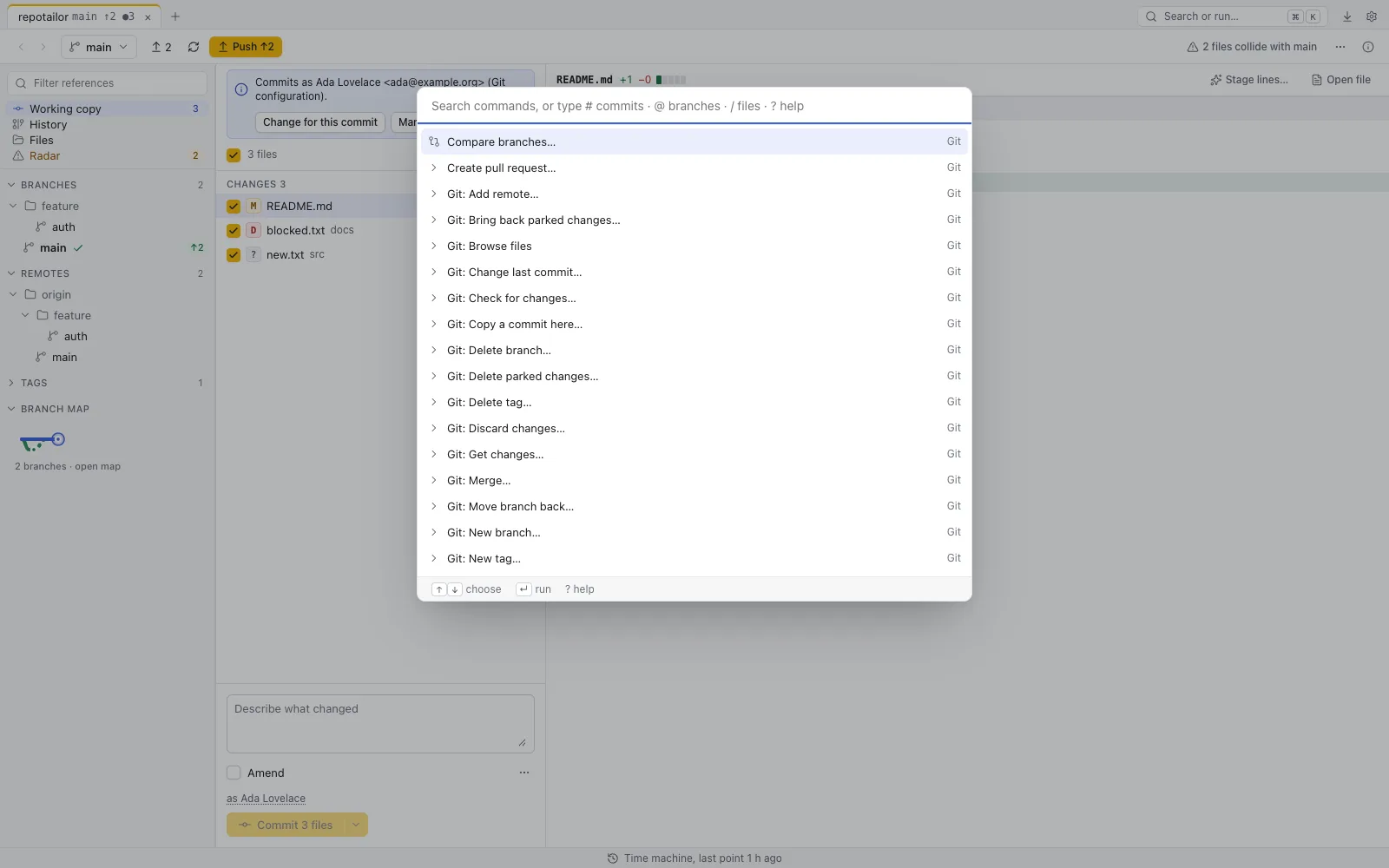
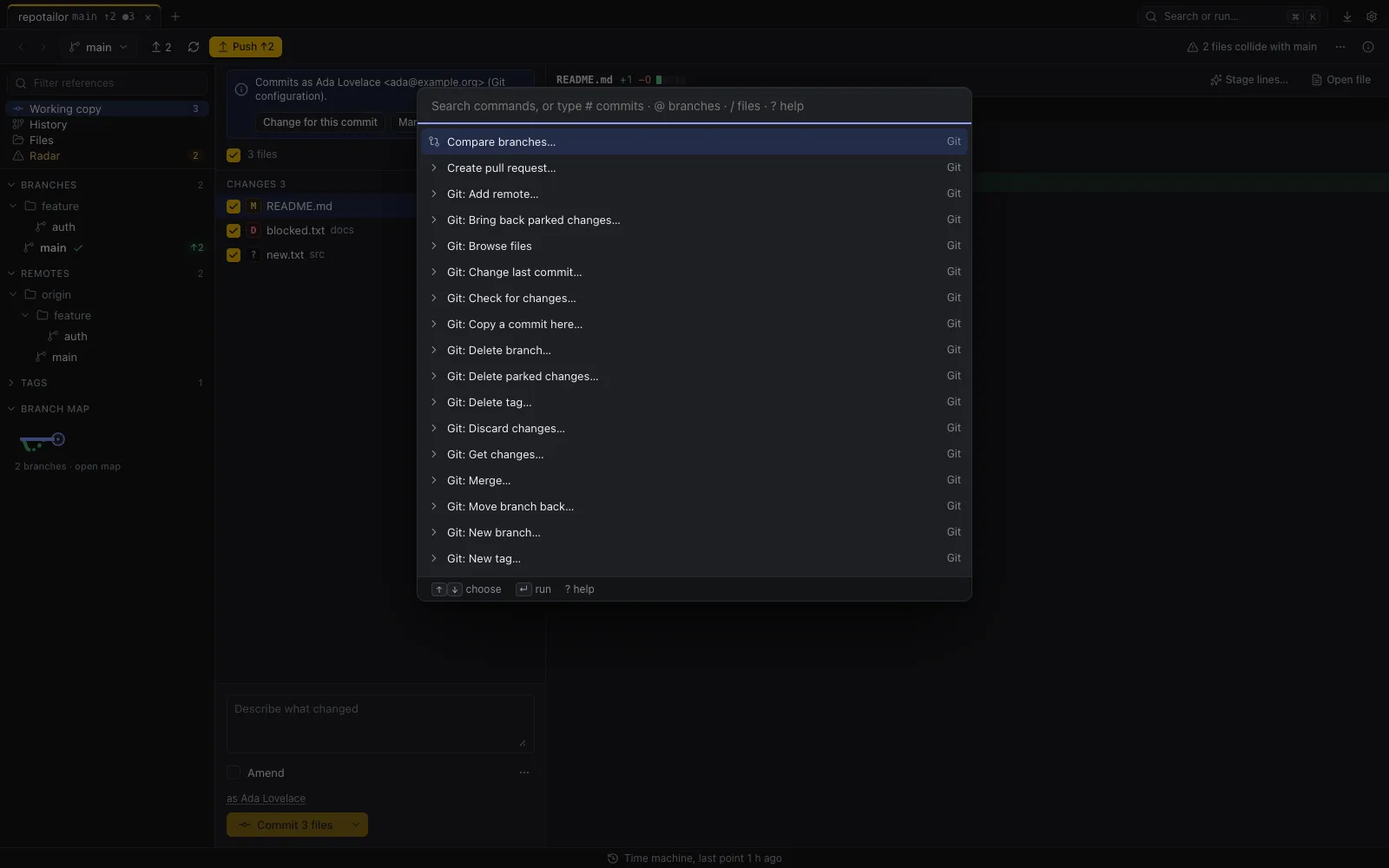
Command palette on ⌘K with a search field, commands with their shortcuts and the modes for commits, branches and files.Command palette on ⌘K with a search field, commands with their shortcuts and the modes for commits, branches and files.
The window · Free

Everything within one key press.

⌘K finds every action, ⌘B switches the branch, and the context bar always shows where you stand against the remote. Plus a changes view with a commit box, AI in place with a preview on every call and a branch map and statistics from local data.

The window in detail →

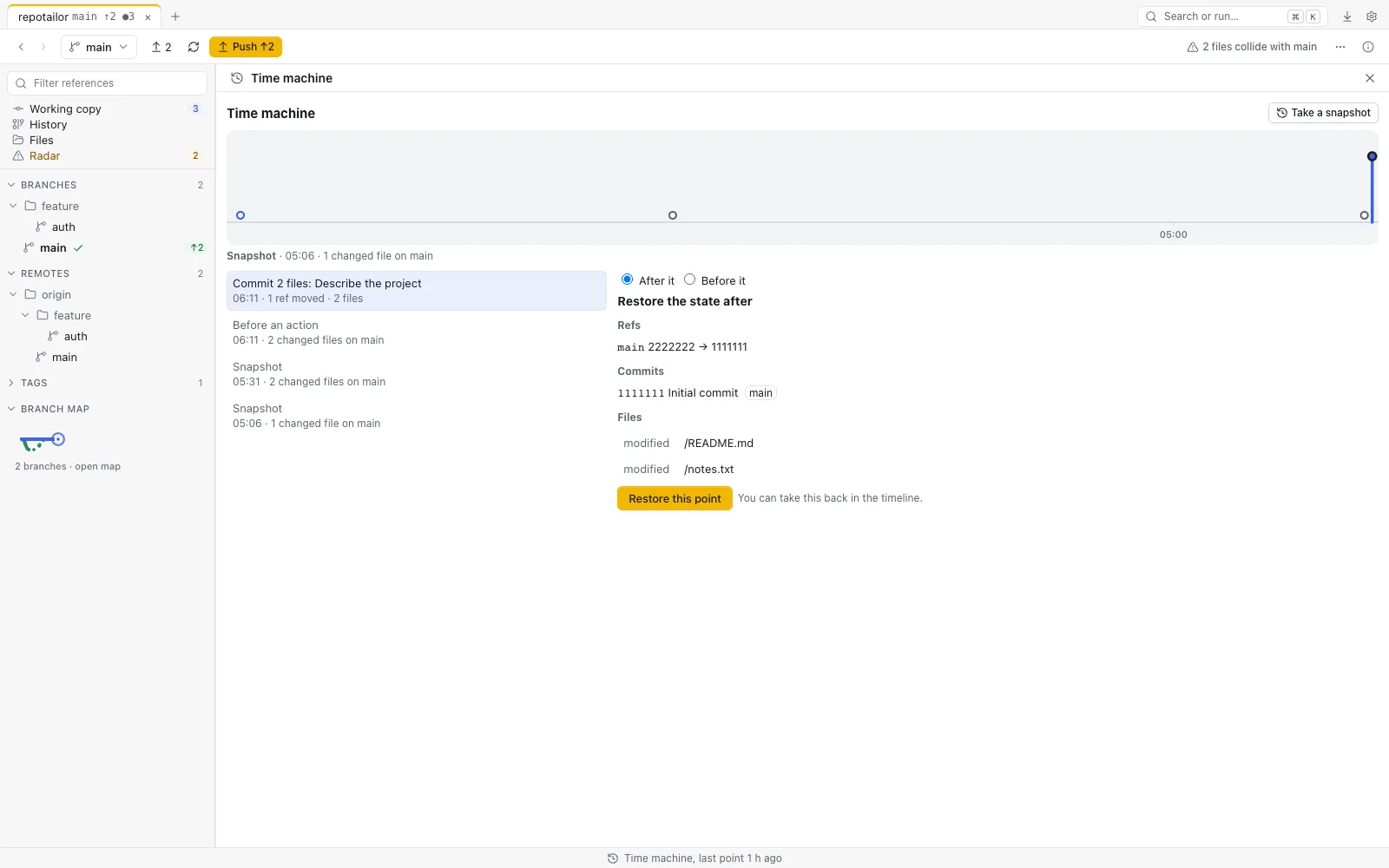
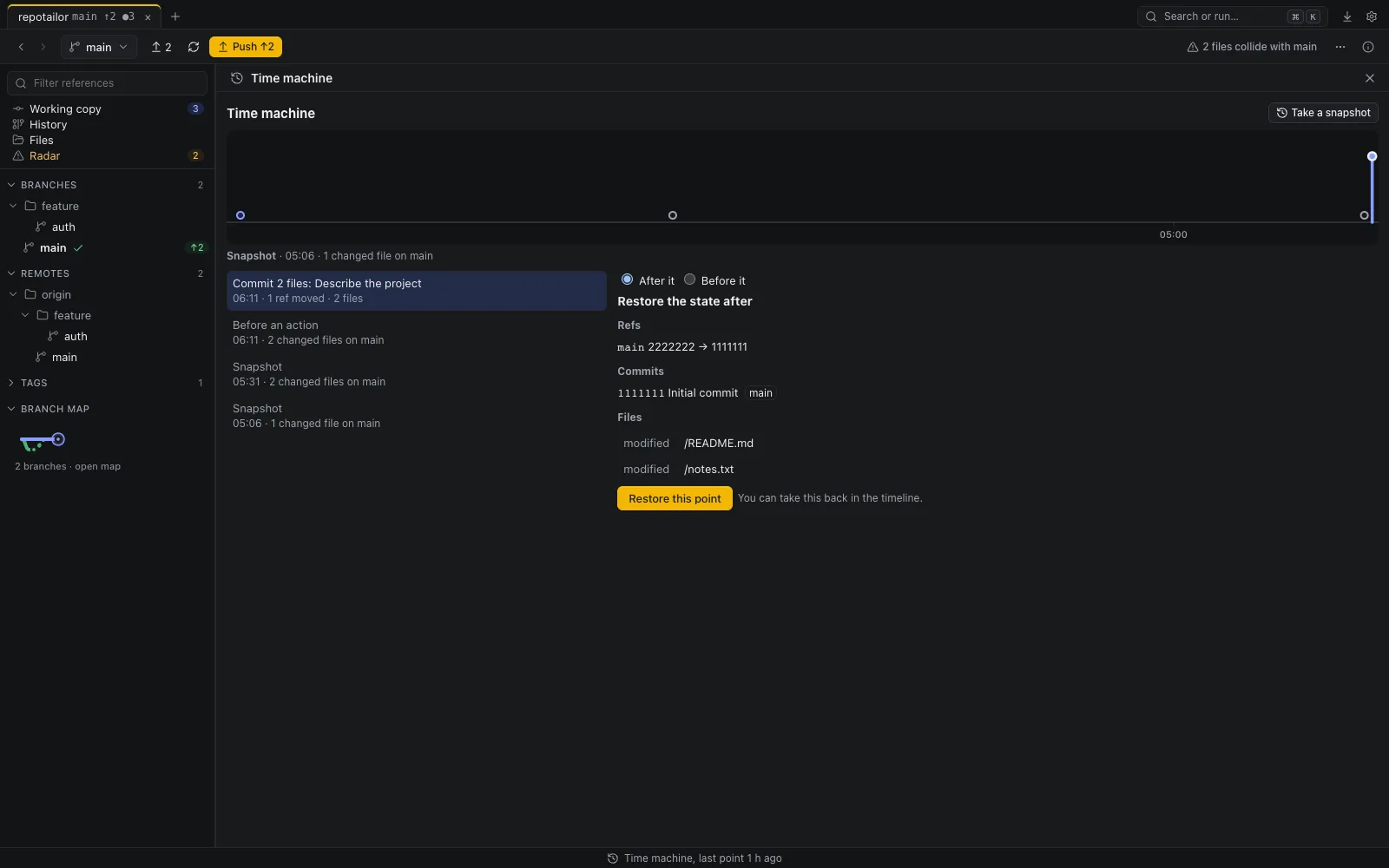
Time machine with a time axis with marks for operations and snapshots, the list of points, a preview with the ref move and files, and the “Restore this point” button.Time machine with a time axis with marks for operations and snapshots, the list of points, a preview with the ref move and files, and the “Restore this point” button.
Safety net · Free

Where was my work from this morning?

Snapshots of your working copy as refs in the repository, a slider through time. Undo covers commit, rebase, reset, pull, push and more; before every rewrite a backup ref lies.

Safety net in detail →

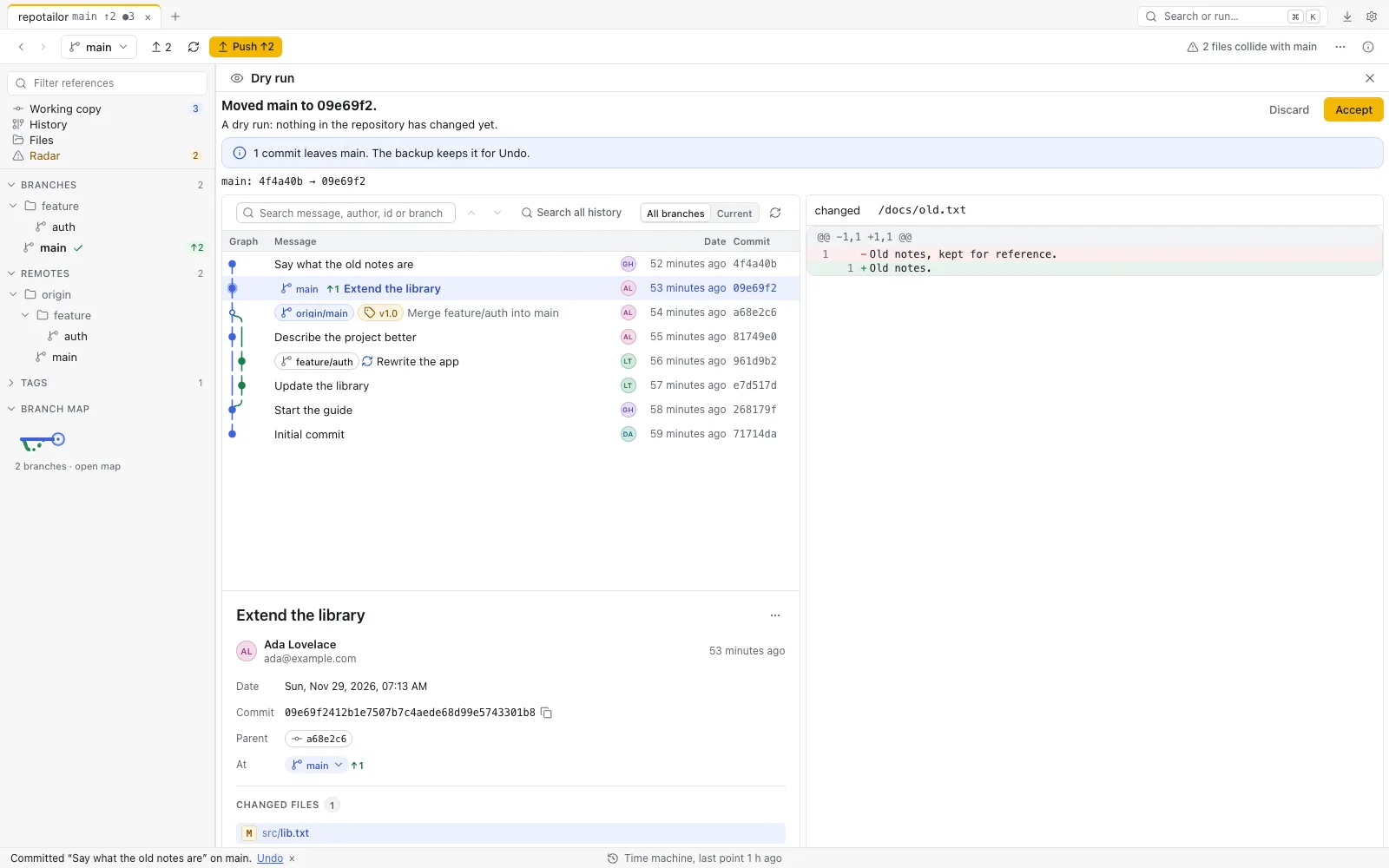
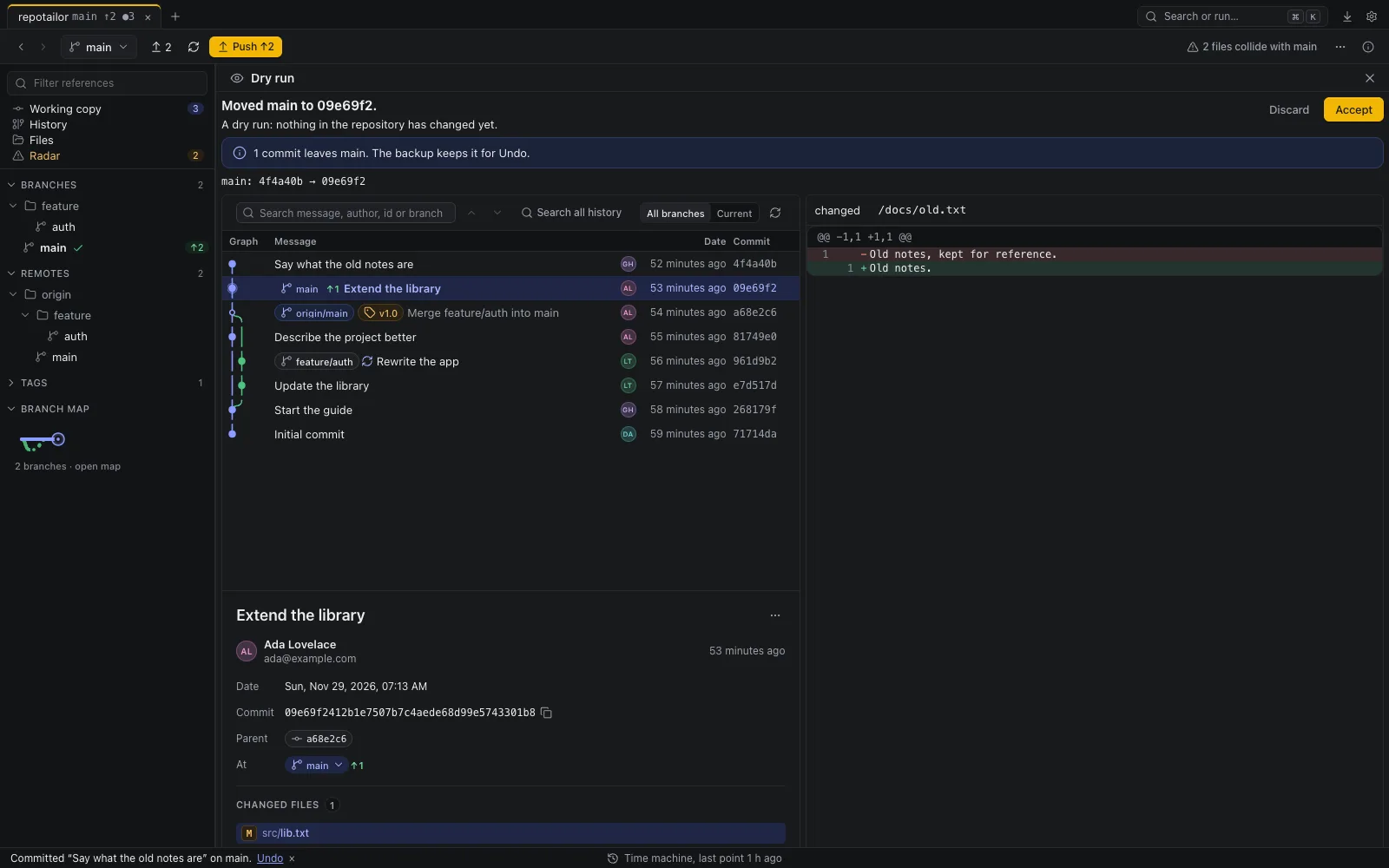
Dry run of a reset: resulting graph, diff of the affected file, Discard and Accept buttons.Dry run of a reset: resulting graph, diff of the affected file, Discard and Accept buttons.
Dry run and radar · Free

Look first, then accept.

Rebase, squash and reset run in memory first: graph and diff beforehand, .git stays byte-identical. The conflict radar tells you which files collide with the upstream or a pull request.

Dry run and radar →

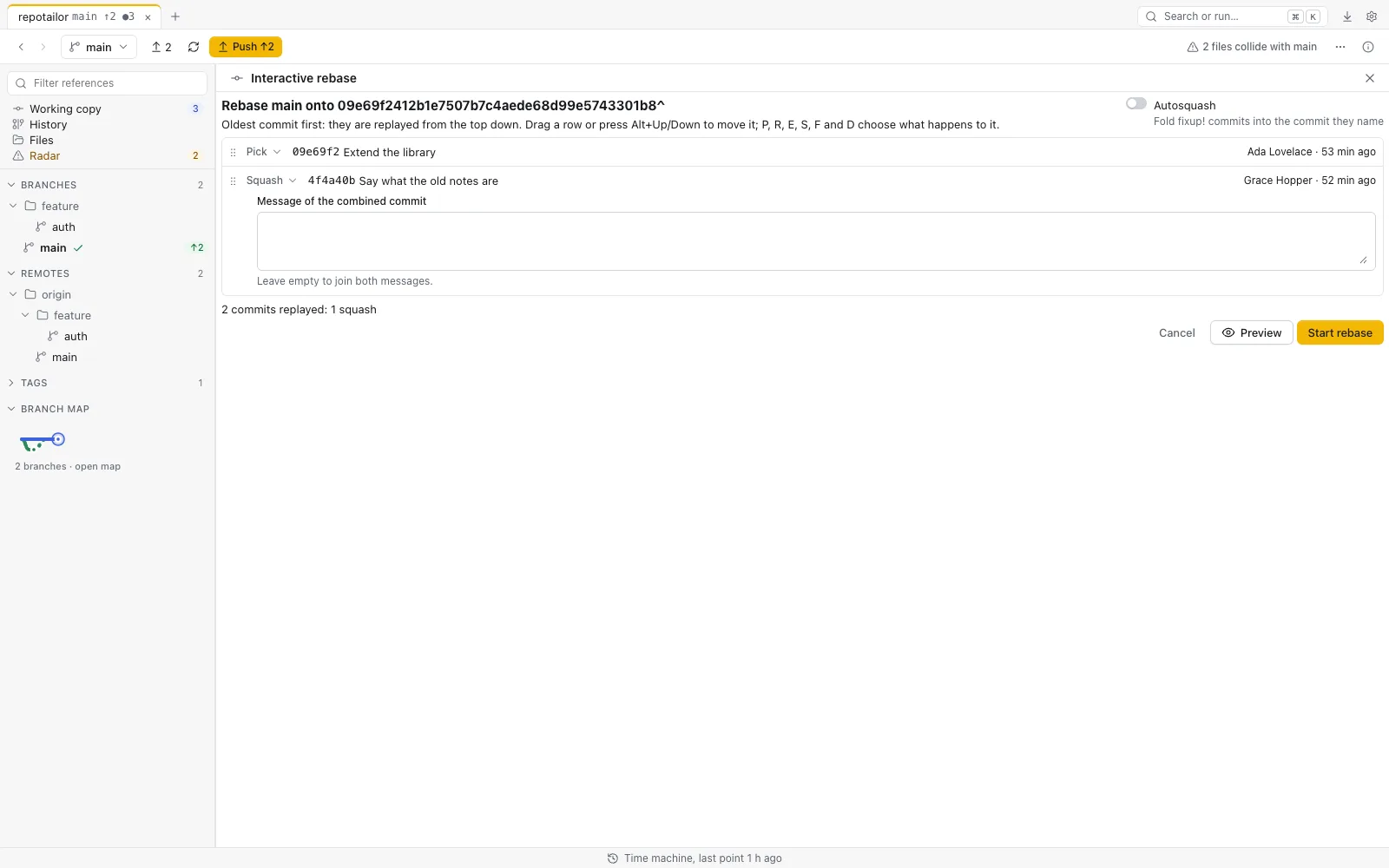
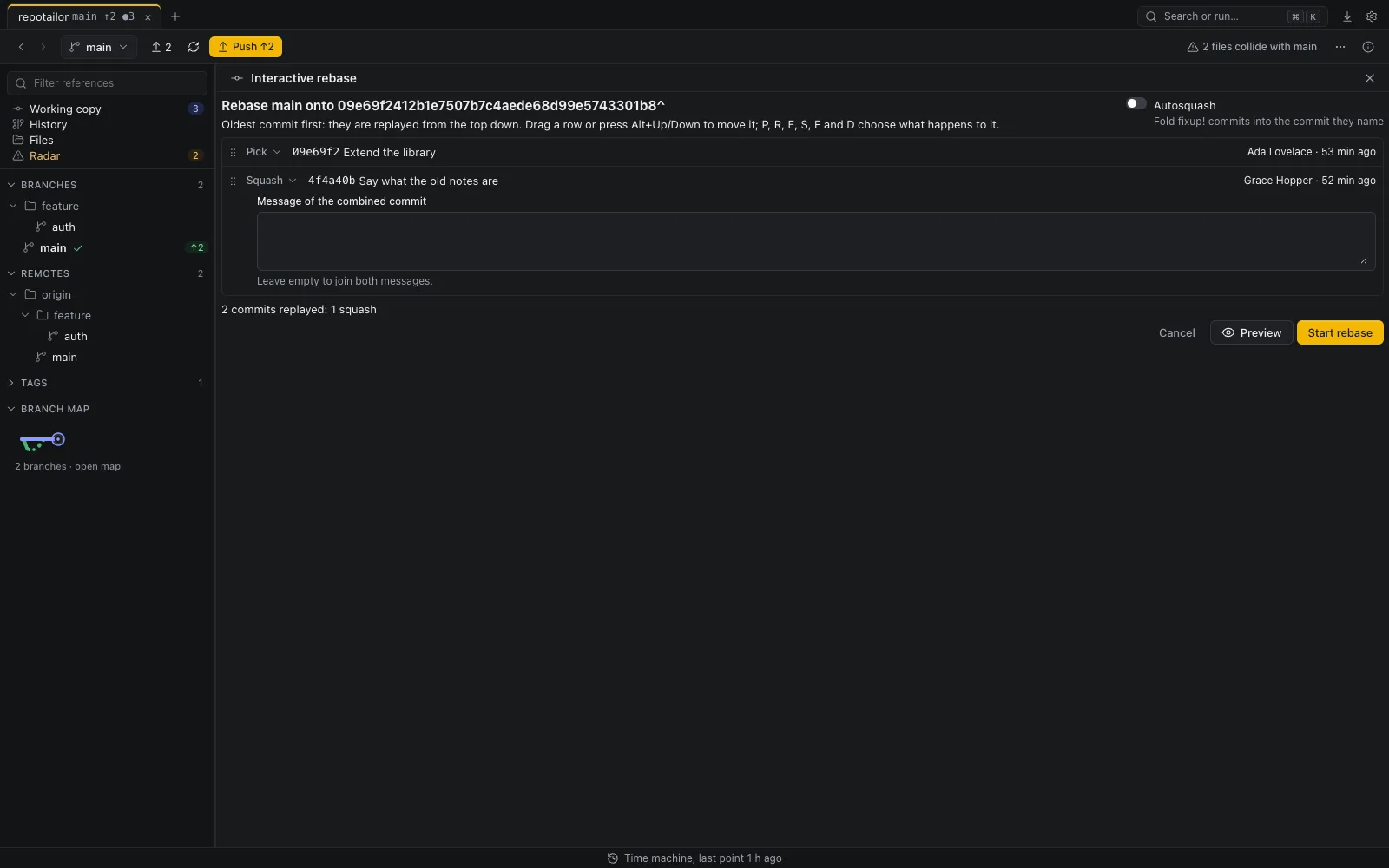
Interactive rebase editor with two commits, one set to squash, with the message field and Preview/Start buttons.Interactive rebase editor with two commits, one set to squash, with the message field and Preview/Start buttons.
Professional tools · Free

Everything professionals expect.

Interactive rebase with drag and drop, force push only with a lease, stacked branches, Git-Flow, submodules, sparse checkout, worktrees, LFS without git-lfs, hooks.

Professional tools in detail →

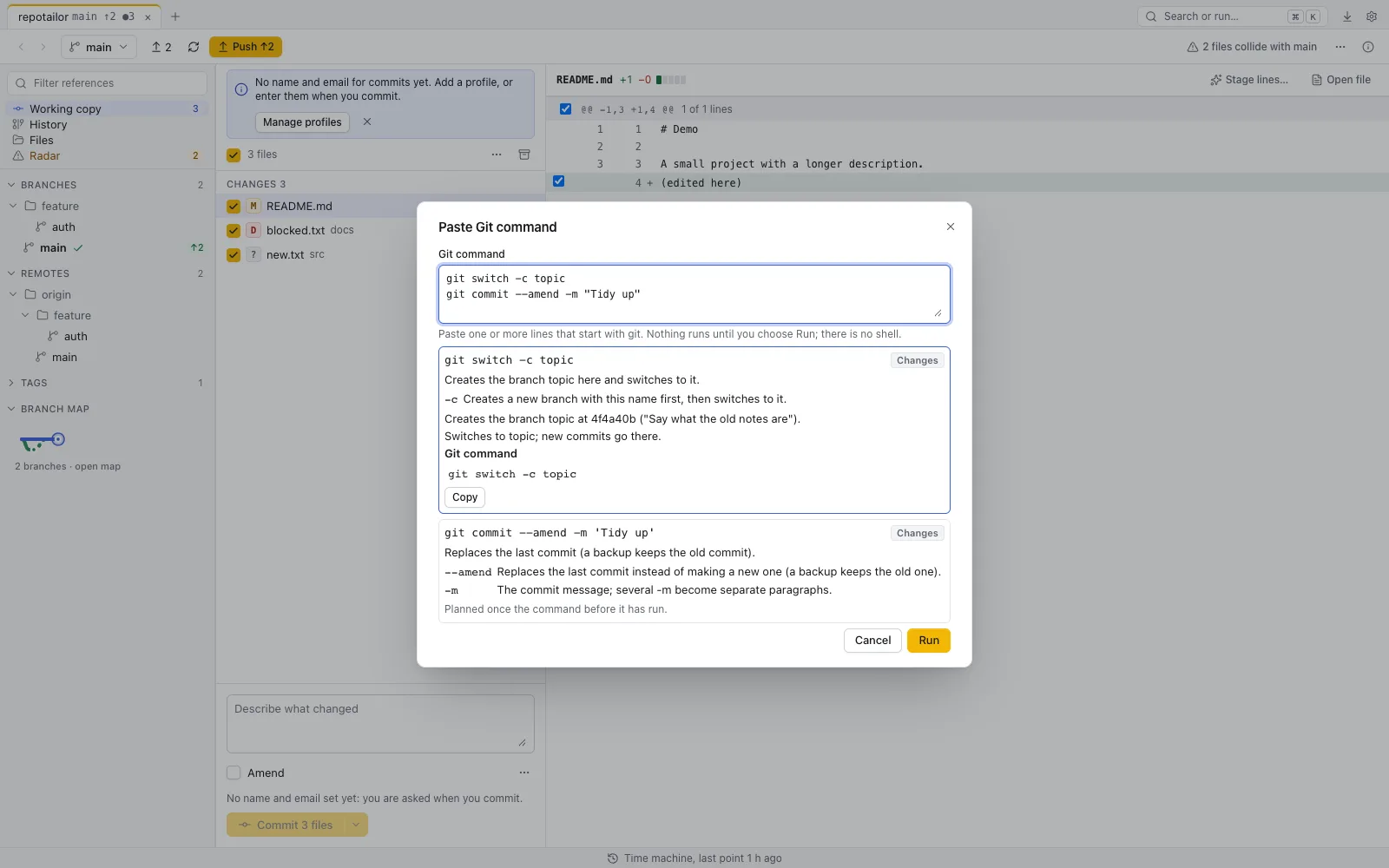
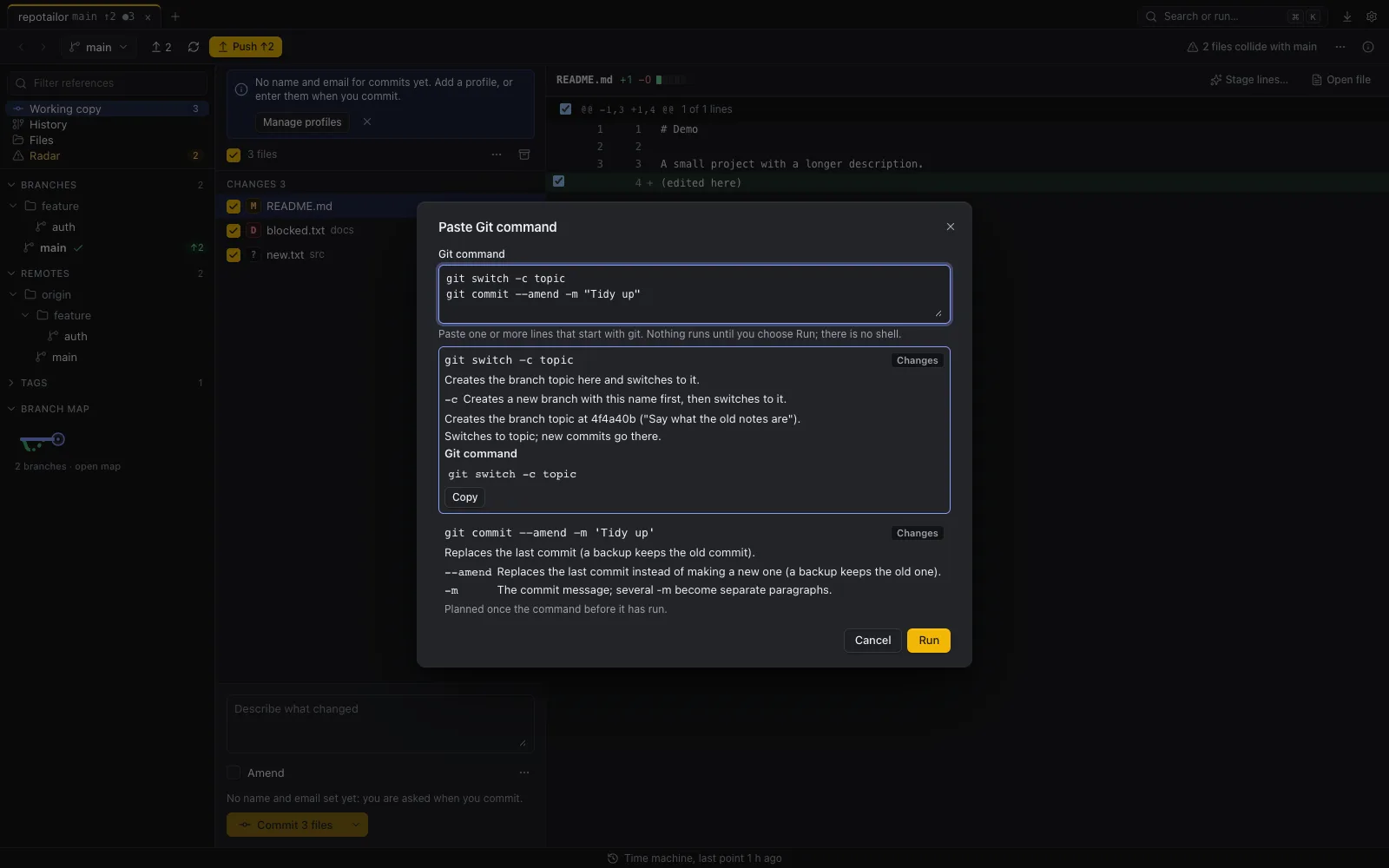
“Paste Git command” dialog with two pasted commands, option explanations and the planned command.“Paste Git command” dialog with two pasted commands, option explanations and the planned command.
Learning · Free

A command from a tutorial – explained instead of run blindly.

Paste a Git command: RepoTailor explains every option, shows the plan and runs it with undo – never in a shell. Plus six practice lessons without risk.

Learn Git without risk →

The ✨ at the commit message opens a popover with target, model, size and the number of masked secrets plus “Show what is sent”, Cancel and Send – nothing is sent before that.The ✨ at the commit message opens a popover with target, model, size and the number of masked secrets plus “Show what is sent”, Cancel and Send – nothing is sent before that.
AI with your own key · Free

See what is sent – before it goes.

Suggest a commit message and explain commits, with your key, masked secrets and a preview. Switchable off per device and repository. No provider is preselected.

Security and AI →

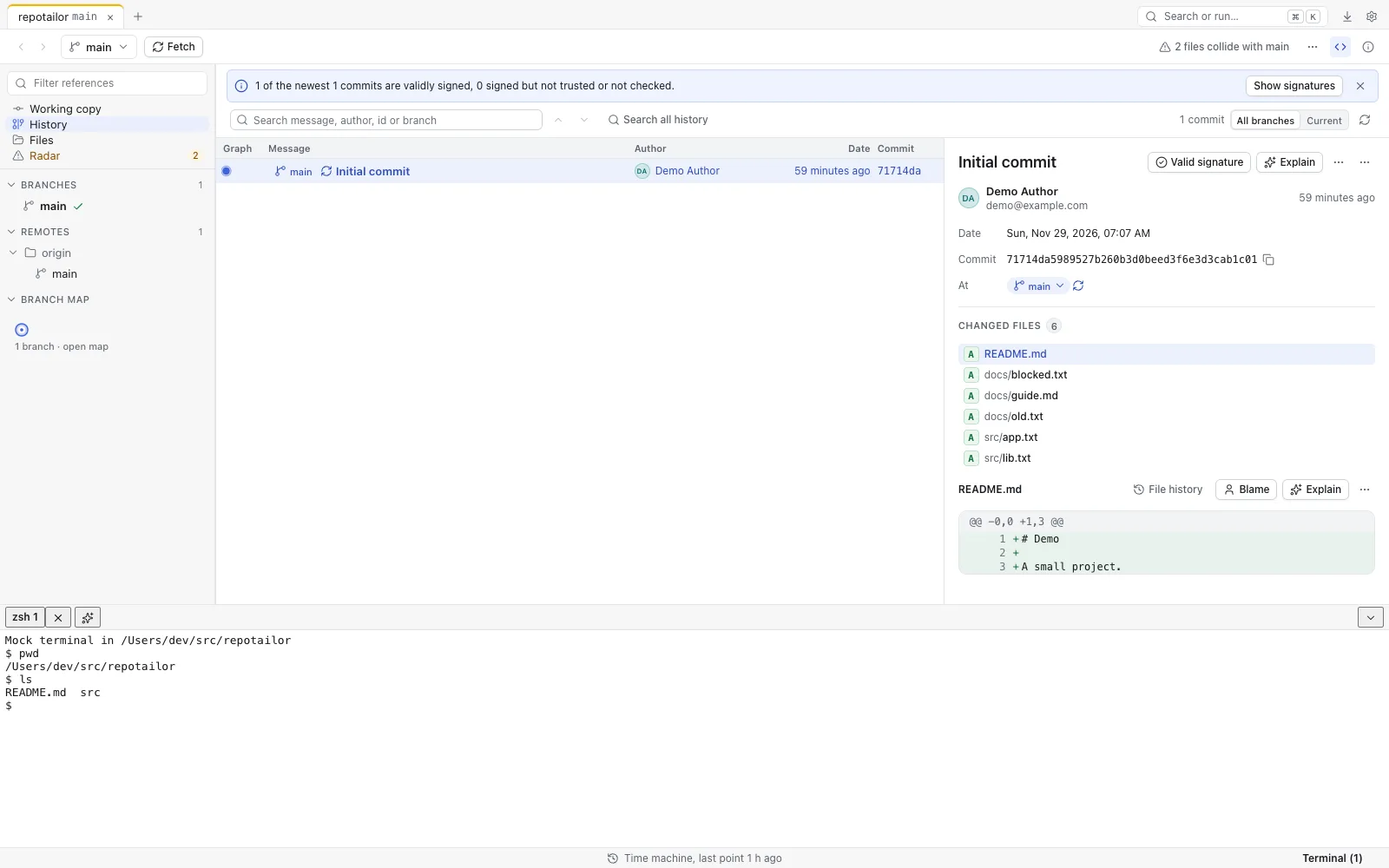
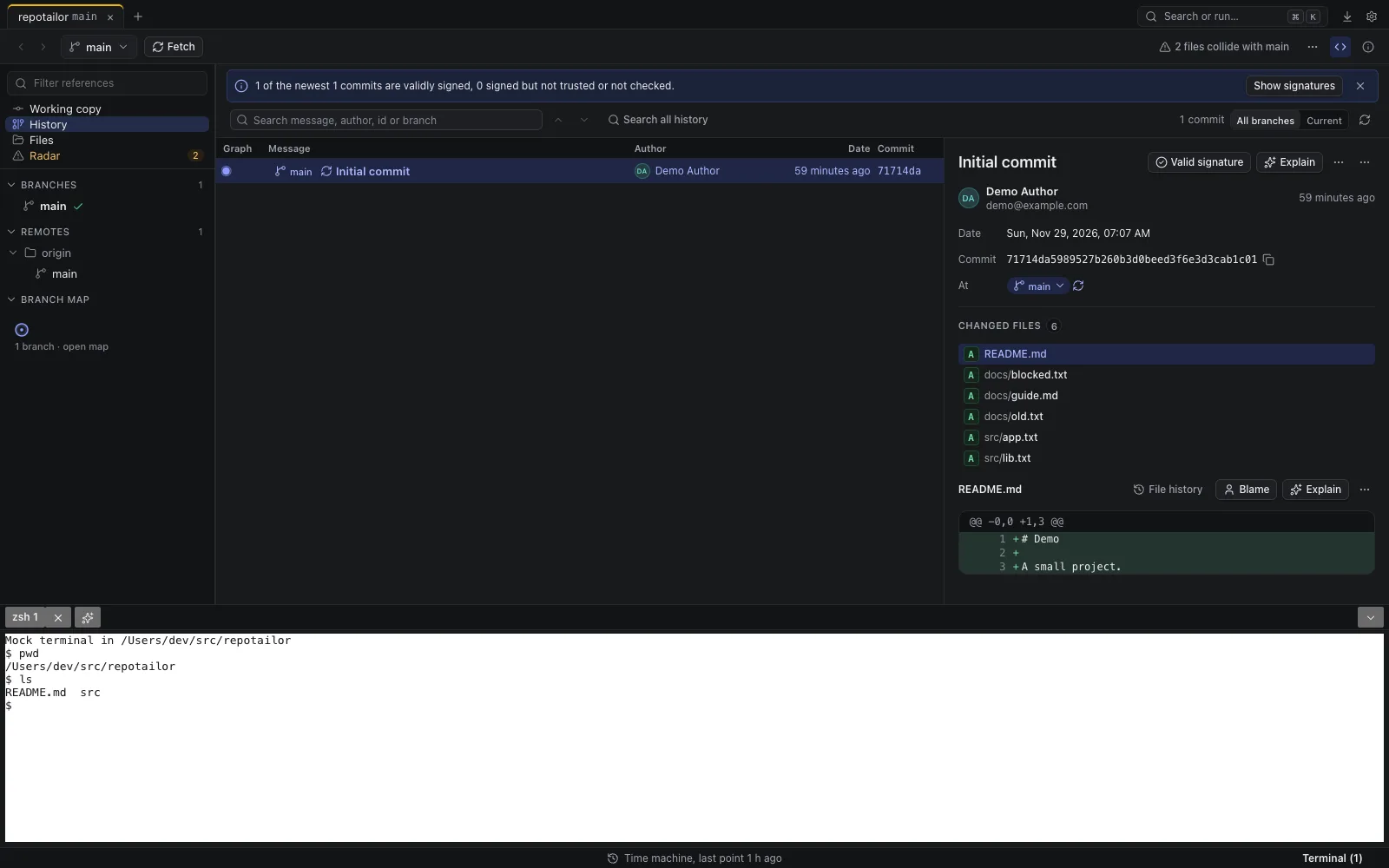
Built-in terminal docked at the bottom with pwd and ls output, graph above.Built-in terminal docked at the bottom with pwd and ls output, graph above.
Terminal, groups, links · Free

Your shell – and the app reloads by itself.

Built-in terminal in the working tree, tabs in groups, Vim keys and repotailor:// links that open a repository or fill in the clone dialog.

Comfort in detail →

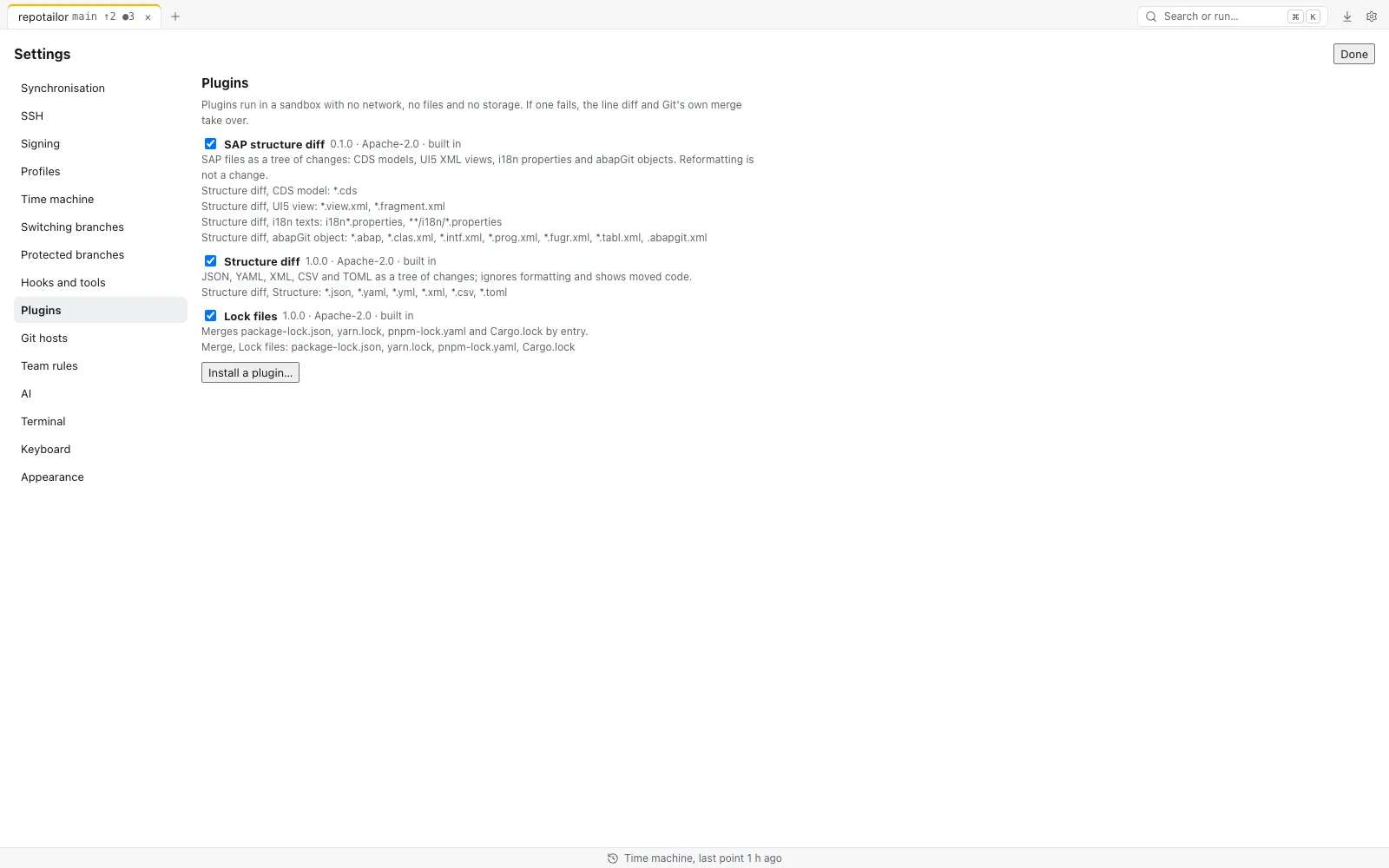
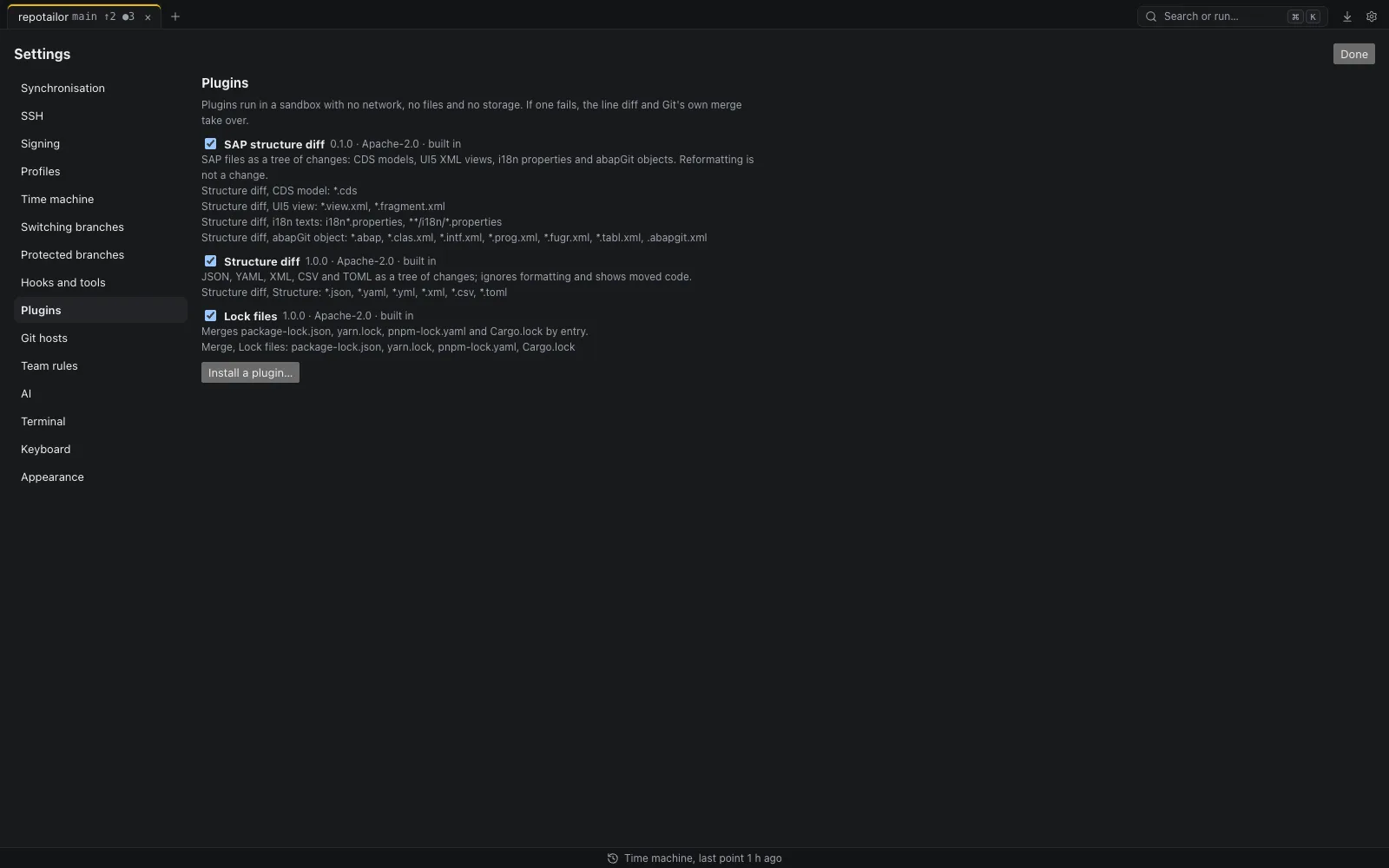
“Plugins” settings page showing the SAP plugin (CDS models, UI5 views, i18n, abapGit) next to Structure and Lock files.“Plugins” settings page showing the SAP plugin (CDS models, UI5 views, i18n, abapGit) next to Structure and Lock files.
Command line and MCP · Free

The same core, also in the terminal and for agents.

repotailor runs on the same core as the app, reads and writes with a plan and confirmation, and prints the same structures with --json. The MCP server only reads, every output is masked.

repotailor status
repotailor explain-command "git rebase -i HEAD~3"
repotailor undo
repotailor mcp ~/code/my-repo

Command line and MCP → · SAP plugins →

BUDGETS.

At RepoTailor fast is not an adjective but a budget: cold start at most 500 ms, at most 150 MB of memory when idle, a graph of 100,000 commits under 1500 ms, scrolling with at most 20 ms frame interval. Exceeding one stops the release. These are budgets, not measurements – RepoTailor is not published yet. How RepoTailor otherwise differs from other clients is in the comparison.

All sources
Security

No account. No telemetry. Secrets in the keychain.

A Git client sees the credentials to your systems. RepoTailor is built so they stay where they belong – and what still has to be said is on the Security page, openly.

Security in detail →
  1. No connection to CloudDNA. No login, no telemetry, no update check. Connections go only to the Git host and the AI provider you set up yourself.
  2. In the keychain, never in files. A scan runs before every commit and push; the rescue removes a secret from the history, with undo.
  3. Sandboxed as WebAssembly. A faulty plugin leaves the app running.
  4. With a preview, masked, switchable off. Off per device, repository and file; no answer without your confirmation.
Pro

Pro: AI that plans. Built, not published yet.

Commit composer, conflict solver, rebase planner, PR review, semantic search and “ask the history”, agent cockpit and a writing MCP server – every suggestion a plan with a preview, undo and dry run. Managed AI and team/sync are in the works. The price follows.

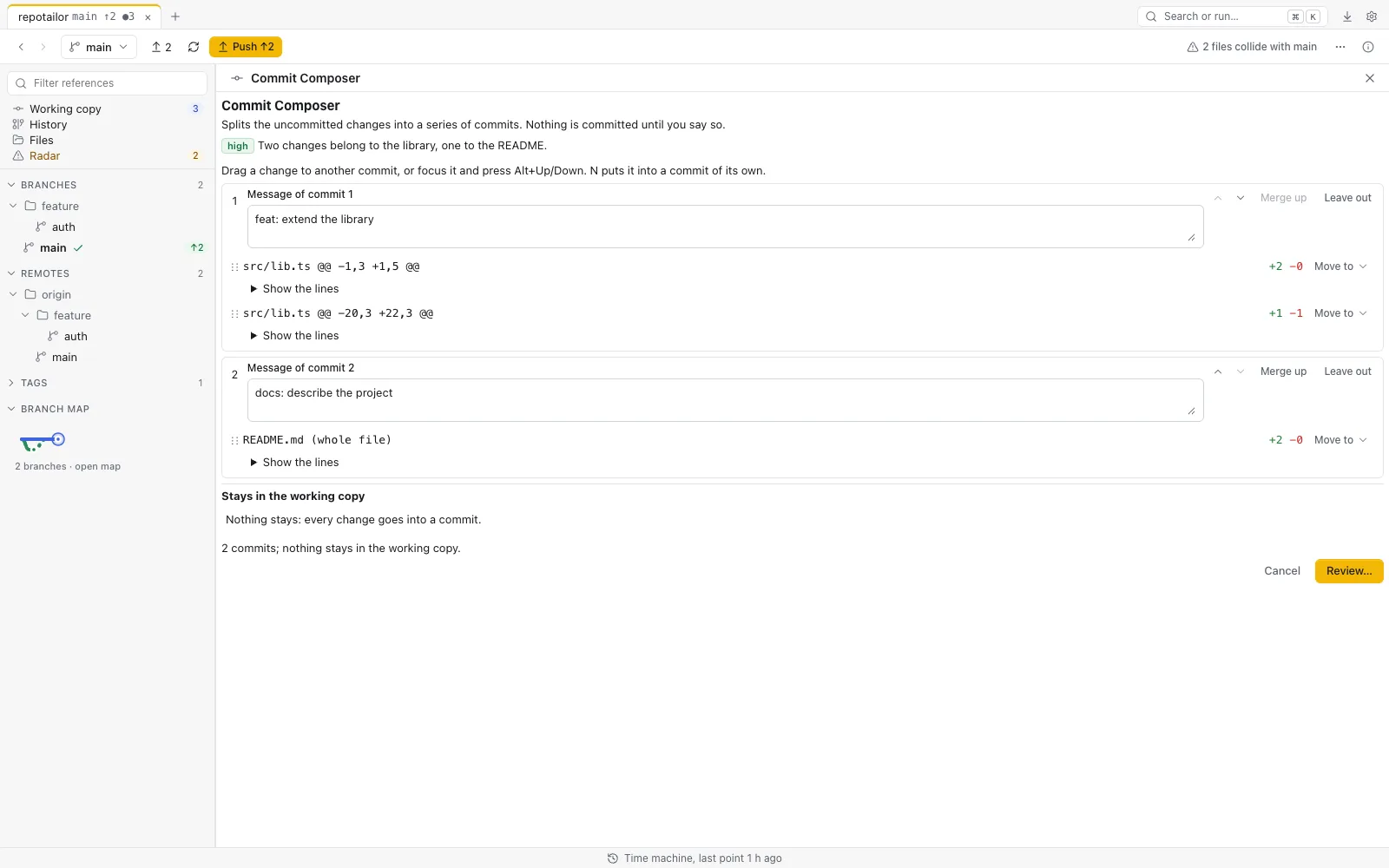
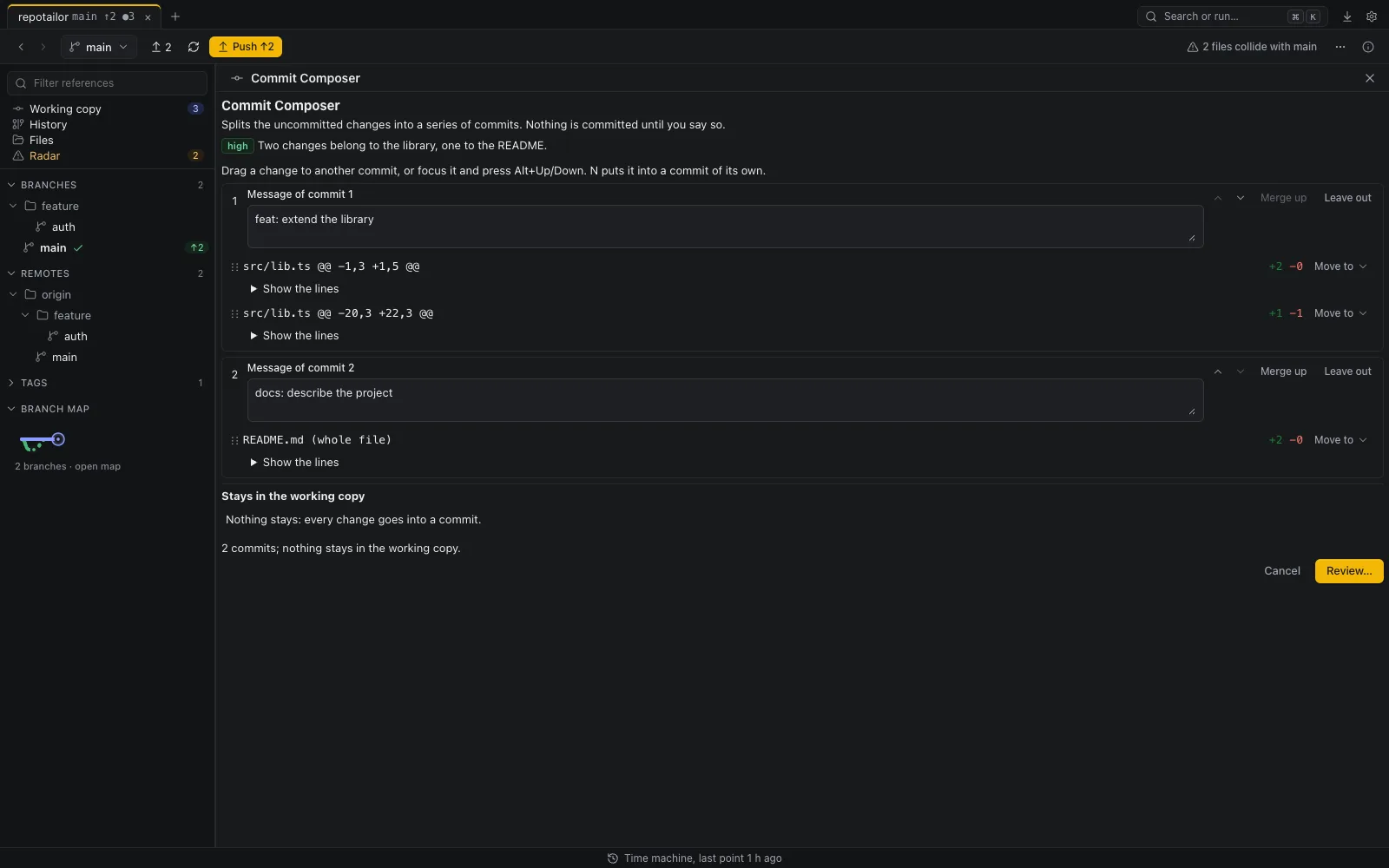
Commit Composer splitting the changes into two commits with messages, hunks and a rationale.Commit Composer splitting the changes into two commits with messages, hunks and a rationale.
Editions

Free is complete. Pro comes on top.

Free is free, open source and contains everything above, private repositories included. Pro is built, not published yet; the price follows. What is free once never moves behind a paywall.

Free

Free. A complete Git client for every person and every team.

€0forever, no account, private repositories included

For: Everyone who works with Git every day – alone, in a team, in the SAP world

  • Undo for every action, time machine, dry run, conflict radar, switching branches without a stash
  • Daily work: tabs, quick switcher, staging by file, hunk and line, a commit in two keystrokes, SSH and HTTPS, signing
  • The window: context bar with sync, command palette ⌘K, branch switcher ⌘B, back and forward, statistics and branch map from local data
  • Professional: interactive rebase, force push only with a lease, stacked branches, Git-Flow, submodules, sparse checkout, worktrees, LFS, hooks
  • Pull requests for GitHub, GitLab, Bitbucket, Azure DevOps and Gitea/Forgejo
  • Paste a Git command, repository care, a practice ground, team rules in .repotailor.yml
  • Structure diff (JSON, YAML, XML, notebooks, lockfiles, SAP file types) as plugins
  • Command line, MCP server (read-only), terminal, repository groups, Vim keys
  • AI with your own key: ✨ for the commit message and explanations, every call with a preview and masking
  • Open source under Apache 2.0, no telemetry, no update check

See the download

ProPartly availableEverything in Free, plus

Everything in Free, plus AI across the whole Git workflow and tools for teams and agents.

Price to follow

For: People who work with Git every day with AI help and coding agents; consultants with many client projects

  • Everything in Free
  • Commit composer, conflict solver, rebase planner, PR author, pre-commit review – every suggestion as a plan with a preview, undo and dry run
  • Assistants: a stack from a big branch, Git in plain words, rescue from stuck states, AI bisect
  • Semantic search and “ask the history” with evidence; insights; repository style; branch from task
  • Conflict forecast with a solution, PR review, release notes, push guard
  • Agent cockpit and a writing MCP server with approvals and an audit log; workspaces; customer profiles
  • In the works: managed AI without your own key; team, sync and SSO (they need a server)

Pro: launch in preparation – enquire Note a trial licence

In the works Pro is built and not published yet; two features need a server and are in the works, and every feature carries its status. The price follows; you can buy only with the release – until then the button leads to an enquiry.

All features in the edition comparison → · The fairness guarantee →

Download · Vorschau

Download, open a folder, commit.

Signed installers for macOS and Windows, plus Homebrew and winget are planned. Nothing is published yet; the download reads “In preparation”.

  • RepoTailor for macOSmacOS 11 or later (Apple silicon and Intel), signed and notarised by Apple. Includes the repotailor command line.In preparationAsk a question →
  • RepoTailor for WindowsWindows 10 or 11 (x64 and ARM64), signed. Installs for the current user, no administrator rights.In preparationAsk a question →
  • repotailor command lineThe same core as the app: status, log, undo, run, mcp. Included in the installer and available through Homebrew or winget.In preparationAsk a question →

In preparation RepoTailor is not published yet. For questions, write to us. Free will cost nothing and needs no account.

  1. DownloadmacOS or Windows – no account.
  2. Open a folderyour repository; there is nothing to import.
  3. Choose a profileidentity, key, signature; tokens go to the keychain.
  4. Commit⌘/Ctrl+Enter – and ⌘/Ctrl+Z if it does not fit.
Honestly

When RepoTailor does not help.

A tool that knows only advantages has not examined itself. Here is our list.

  • You need a client today.RepoTailor is not published yet; the download reads “In preparation”.
  • You work on Linux.Artefacts exist for macOS and Windows only, and there is no web client.
  • You need Mercurial, SVN or Perforce.RepoTailor is a Git client and nothing else.
  • You expect shared workspaces, sync and SSO today.Team, sync and SSO and managed AI are built in the client but have no server – in the works.
  • You need LFS locking or --rebase-merges.Neither is built; the documentation names the gaps.

Buy directly

RepoTailor

Total, net , excl. VAT

You pay on Stripe. The invoice uses reverse charge if you enter a VAT ID. We send you the licence key and the invoice by e-mail after payment.

Our terms and licence terms apply.

Newsletter and product information

Optional and not needed for the purchase. More in the privacy policy.

As a customer, you will occasionally receive information about similar products from CloudDNA in your licence and subscription e-mails. You can object to this at any time free of charge – via the link in each of these e-mails or right here:

Sources on this page

The superscript numbers in the text point here. Tap one to see the source right where it is used; all sources of this website are listed on one page.

  1. 1

    Undo for every action ↑Product · RepoTailor core repository, CLAUDE.md (Produktprinzip 3; Welle 2, Strang B), website/docs/03-undo-and-time-machine.md, docs/wellen/welle-2.md · checked on 2026-11-29

  2. 2

    No account, no telemetry, no update check ↑Product · RepoTailor core repository, CLAUDE.md (Produktprinzip 2, Technische Leitplanken „Datenschutz“, „Aktualisierung“) · checked on 2026-11-29

  3. 3

    Performance budgets as release gates ↑Product · RepoTailor core repository, perf/budgets.toml, perf/README.md · checked on 2026-11-29

  4. 4

    Command line ↑Product · RepoTailor core repository, docs/wellen/welle-4.md (Strang F), website/docs/05-cli.md · checked on 2026-11-29

  5. 5

    SSH, HTTPS, signing, profiles, hosts ↑Product · RepoTailor core repository, docs/wellen/welle-1.md (Stränge A, D, E), docs/wellen/welle-3.md (Strang H), website/docs/11-hosts-and-ssh.md · checked on 2026-11-29

  6. 6

    Rename from GitTailor to RepoTailor ↑Product · RepoTailor core repository, CLAUDE.md (Name), Entscheidung des Projektverantwortlichen vom 28.11.2026 · checked on 2026-11-29

  7. 7

    The daily client ↑Product · RepoTailor core repository, docs/wellen/welle-1.md, docs/UMSTEIGER-CHECKLISTE.md · checked on 2026-11-29

  8. 8

    Command palette ⌘K ↑Product · RepoTailor core repository, docs/wellen/welle-8.md (Abschnitte 3.3, 11 und 14: W8-3), CLAUDE.md (Welle 8, Strang B), perf/budgets.toml · checked on 2026-11-29

  9. 9

    Branch switcher ⌘B ↑Product · RepoTailor core repository, docs/wellen/welle-8.md (Abschnitt 5, W8-4), CLAUDE.md (Welle 8, Strang B), perf/budgets.toml · checked on 2026-11-29

  10. 10

    Sync cluster and compare ↑Product · RepoTailor core repository, docs/wellen/welle-8.md (Abschnitt 7, W8-6, W8-7), CLAUDE.md (Welle 8, Strang D), perf/budgets.toml · checked on 2026-11-29

  11. 11

    AI in place: ✨ with consent on every call ↑Product · RepoTailor core repository, docs/wellen/welle-8.md (Abschnitt 9, W8-8), CLAUDE.md (Welle 8, Strang F) · checked on 2026-11-29

  12. 12

    Charts and statistics from local data ↑Product · RepoTailor core repository, docs/wellen/welle-8.md (Abschnitt 8, W8-9), CLAUDE.md (Welle 8, Strang E), perf/budgets.toml · checked on 2026-11-29

  13. 13

    Time machine ↑Product · RepoTailor core repository, docs/wellen/welle-2.md (Datenmodell, Strang A), website/docs/03-undo-and-time-machine.md · checked on 2026-11-29

  14. 14

    Dry run ↑Product · RepoTailor core repository, docs/wellen/welle-2.md (Strang C), website/docs/04-dry-run-and-radar.md · checked on 2026-11-29

  15. 15

    Conflict radar ↑Product · RepoTailor core repository, docs/wellen/welle-2.md (Strang D), website/docs/04-dry-run-and-radar.md, perf/README.md · checked on 2026-11-29

  16. 16

    Interactive rebase ↑Product · RepoTailor core repository, docs/wellen/welle-3.md (Strang A), website/docs · checked on 2026-11-29

  17. 17

    Force push only with a lease ↑Product · RepoTailor core repository, CLAUDE.md (Technische Leitplanken „Umschreiben“), docs/wellen/welle-3.md (Strang B) · checked on 2026-11-29

  18. 18

    Stacked branches and Git-Flow ↑Product · RepoTailor core repository, docs/wellen/welle-3.md (Strang C) · checked on 2026-11-29

  19. 19

    Git LFS without git-lfs ↑Product · RepoTailor core repository, docs/wellen/welle-3.md (Strang E) · checked on 2026-11-29

  20. 20

    Paste a Git command ↑Product · RepoTailor core repository, docs/wellen/welle-4.md (Strang A) · checked on 2026-11-29

  21. 21

    Practice ground ↑Product · RepoTailor core repository, docs/wellen/welle-4.md (Strang C) · checked on 2026-11-29

  22. 22

    AI with your own key, masked, with a preview ↑Product · RepoTailor core repository, docs/wellen/welle-4.md (Strang E), website/docs/08-ai-and-privacy.md, CLAUDE.md (Produktprinzip 4) · checked on 2026-11-29

  23. 23

    Built-in terminal ↑Product · RepoTailor core repository, docs/wellen/welle-7.md (Strang A), CLAUDE.md (Welle 7) · checked on 2026-11-29

  24. 24

    Repository groups ↑Product · RepoTailor core repository, docs/wellen/welle-7.md (Strang B) · checked on 2026-11-29

  25. 25

    Links and open in ↑Product · RepoTailor core repository, docs/wellen/welle-7.md (Strang D), README.md · checked on 2026-11-29

  26. 26

    MCP server (read-only) ↑Product · RepoTailor core repository, docs/wellen/welle-4.md (Strang F), docs/wellen/welle-6.md, website/docs/06-mcp.md · checked on 2026-11-29

  27. 27

    Secret protection ↑Product · RepoTailor core repository, CLAUDE.md (Produktprinzip 4), docs/wellen/welle-2.md (Strang F), docs/wellen/welle-1.md (Commit und Sync) · checked on 2026-11-29

  28. 28

    WASM plugins with a fixed contract ↑Product · RepoTailor core repository, CLAUDE.md (Technische Leitplanken „Plugins“), crates/rpt-plugins/API.md · checked on 2026-11-29

  29. 29

    Pro: AI functions across the Git workflow ↑Product · RepoTailor Pro repository, ui/src/editions/editions.ts, docs/welle-5.md, CLAUDE.md · checked on 2026-11-29

  30. 30

    Pro: understanding and analysis ↑Product · RepoTailor Pro repository, ui/src/editions/editions.ts, docs/welle-6.md, docs/welle-7.md · checked on 2026-11-29

  31. 31

    Pro: agents, workspaces, profiles ↑Product · RepoTailor Pro repository, ui/src/editions/editions.ts, docs/welle-6.md, docs/welle-7.md, CLAUDE.md · checked on 2026-11-29

  32. 32

    Pro: not yet with a server ↑Product · RepoTailor Pro repository, CLAUDE.md (Netz), ui/src/managed-ai/model.ts, ui/src/team/model.ts · checked on 2026-11-29

  33. 33

    Core under Apache 2.0, without paid features ↑Product · RepoTailor core repository, CLAUDE.md (Lizenzgrenze), README.md, TRADEMARKS.md · checked on 2026-11-29

  34. 34

    macOS and Windows, distribution ↑Product · RepoTailor core repository, CLAUDE.md (Technische Leitplanken „Plattformen“, „Auslieferung“), packaging/, RELEASING.md · checked on 2026-11-29

  35. 35

    Rust core, Tauri, native on macOS and Windows ↑Product · RepoTailor core repository, CLAUDE.md (Technische Leitplanken), README.md · checked on 2026-11-29
Frequently asked

Short answers.

What is RepoTailor?
RepoTailor is a Git client for macOS and Windows with a Rust core, built by CloudDNA GmbH (Austria). Every action that changes branches or files has a plan, a safety point and an undo; plus a time machine for never-committed work, a dry run before rewriting and a conflict radar. It needs no account, sends no telemetry and its Free edition is complete and free (open source under Apache 2.0). It is not published yet (as of 28.11.2026).
Is RepoTailor available yet?
No. RepoTailor is not published yet; downloads for macOS and Windows are in preparation. There is no way to buy it yet either (as of 28 Nov 2026).
Do I need an account, and is there telemetry?
No. RepoTailor Free needs no account and no licence key, opens no connection to CloudDNA servers (only to your Git host and your AI provider), sends no telemetry and does not check for updates; a canary check proves the network traffic.
What does “nothing gets lost” mean?
Every action that changes refs or working files has a plan, a backup under refs/repotailor/backup and an undo (⌘/Ctrl+Z). A time machine keeps snapshots of never-committed work, a dry run shows graph and diff before rebase, squash and reset, and after a crash the next start asks “go back or keep”.
Can I undo a push or a rebase?
Yes. A rebase has a backup and an undo. A push can be taken back while the remote branch still holds the pushed value (with a lease); on main, master and release/* it needs a setting, otherwise RepoTailor suggests a revert commit. If the state has changed in the meantime, undo refuses and names the reason.
Which Git hosts does RepoTailor support?
GitHub and GitLab, Bitbucket (Cloud and Data Center), Azure DevOps (Services and Server) and Gitea/Forgejo, all in Free; tokens live in the keychain. SSH is built in Rust, no installed git is needed. The demonstration against real servers of Bitbucket, Azure DevOps and Codeberg is still to be done.
What is in Free, what in Pro?
Free is a complete client: safety net, daily work, professional tools (rebase editor, force push with a lease, stacks, submodules, LFS, hooks), team rules, AI with your own key for commit message and explanations, command line, read-only MCP, terminal. Pro (built, not published yet) adds AI across the whole workflow (commit composer, conflict solver, rebase planner, PR review), semantic search, an agent cockpit and a writing MCP server. Managed AI and team/sync are in the works. The price of Pro follows.
Will a free feature move behind a paywall later?
No. The fairness guarantee: what is in Free stays in Free; paid editions only add new things. The core is under Apache 2.0.
How safe are secrets and AI calls?
Secrets live in the keychain, never in files or logs. A scan runs before every commit and push. AI calls use the user's own key, show beforehand in a preview what is sent, mask found secrets and can be switched off per device, repository (.repotailor.yml) and file.
Is there a command line and an MCP server?
Yes. repotailor runs on the same core as the app, reads and writes (with a plan and confirmation or --yes) and prints the same structures with --json. repotailor mcp is an MCP server over stdio that in Free only reads; every output is masked. Writing MCP tools with approvals are in Pro.
Which systems does RepoTailor run on?
On macOS and Windows, native (Rust, Tauri). There are no Linux artefacts and no web client.

Your question isn’t here? Talk to me: +43 664 1964199 office@clouddna.at Get in touch

Contact

A Git client where nothing gets lost? Talk to us.

Free is free and stays free. For a question, for moving over from GitKraken, Tower, Fork or Sourcetree, for the SAP plugins or for a wish for Pro: write to me. I reply within one working day, personally.

Martin KochManaging Director, CloudDNAI read every request myself and reply personally.