Professional tools
Everything professionals expect from a Git client – and all of it in Free. Every write is an operation with undo, rewriting ones also with a dry run.
- Edition
- Free
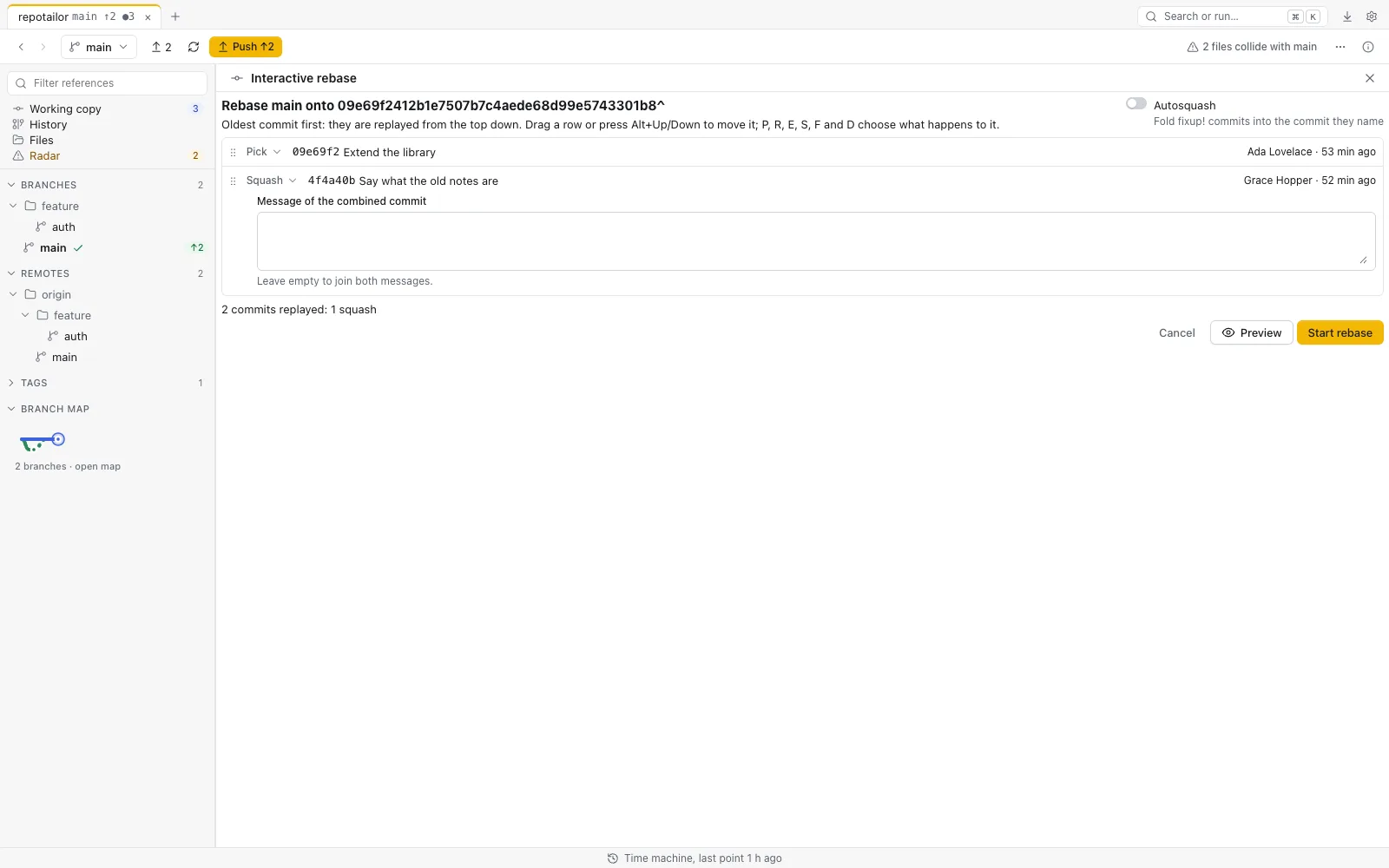
Interactive rebase
Pick, reword, edit, squash, fixup and drop, autosquash, rebase onto another branch (--onto).1 Drag rows or use Alt+↑/↓; change the kind by menu or with p, r, e, s, f, d. Commits that are already published ask for confirmation. Continue, skip and abort also apply to a rebase begun by git. Not built: --rebase-merges and exec in the todo.
Force push with a lease
A force push is always --force-with-lease with the value seen in the plan, plus --force-if-includes.2 The plan names what gets overwritten; a backup lies before it. main, master and release/* are locked, configurable under Protected branches.
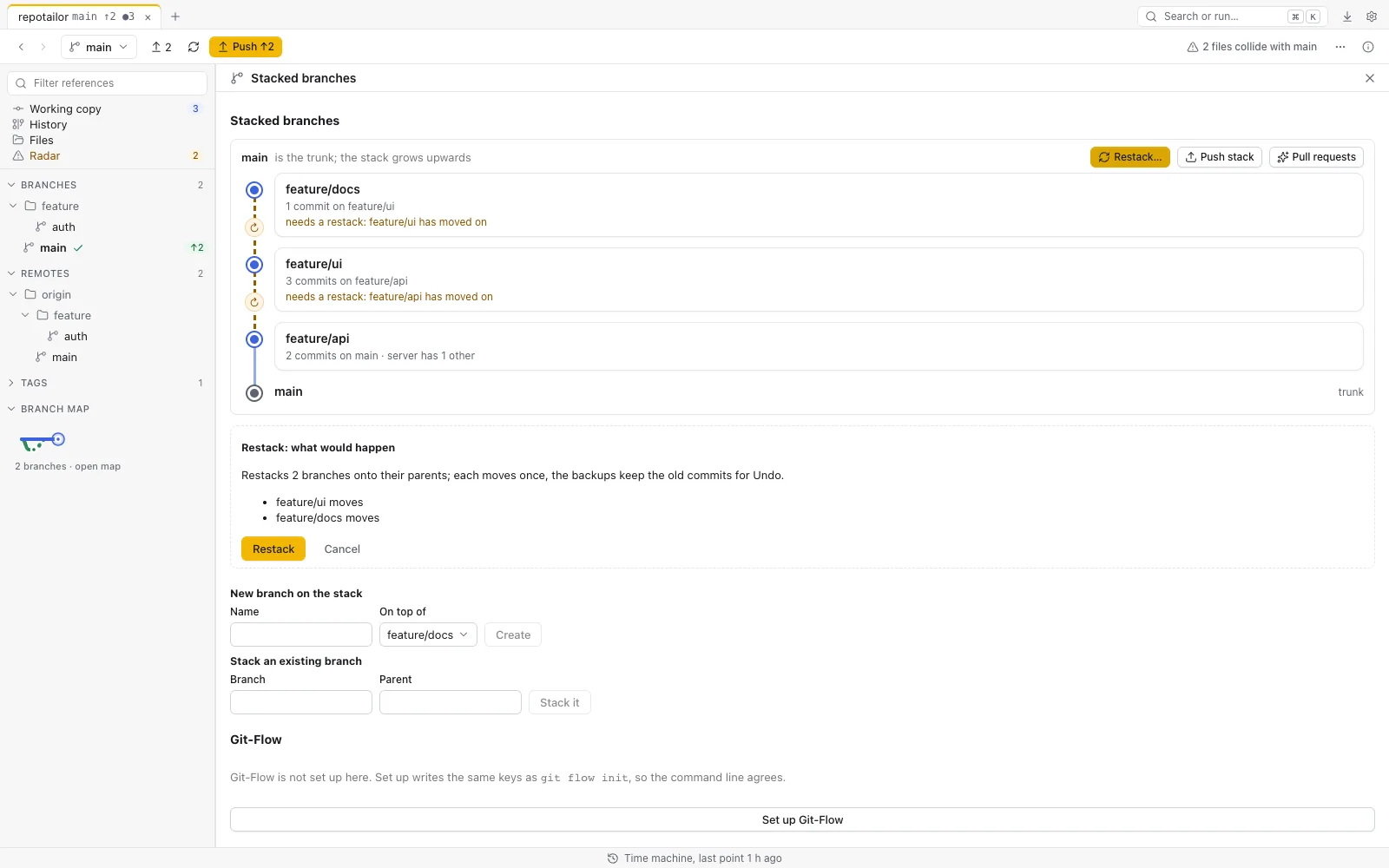
Stacks and Git-Flow
“Restack” moves every branch whose parent moved;3 the stack goes to the server bottom to top, with pull requests that target the parent. Git-Flow uses the keys of git-flow AVH.
Submodules, sparse, worktrees
Status, initialise, update, add and remove submodules; sparse checkout with cone patterns; worktrees.4 Removing saves the working tree first.
Git LFS
LFS is own code without the git-lfs program.5 A batch fetches missing objects; offline the pointer stays. Not built: LFS locking.
Hooks and tools
Hooks run as in git6, the output is visible, a pre-hook can be skipped once. diff.tool and merge.tool run as an operation with undo.
Structure diff and lockfiles
The “structure” plugin compares JSON, YAML, XML, CSV, TOML and notebooks by structure.7 A lockfile conflict is solved with Regenerate lockfile… using the package tool (npm, cargo, pnpm, yarn, poetry, composer, bundler); that is an operation with undo.