RepoTailor Vorschau (as of 29 November 2026): nothing published yet – download in preparation. Nothing gets lost, no account, no telemetry. What’s inside → +43 664 1964199Contact →

Undo and time machine

“Nothing gets lost” is a rule here: every action that changes branches or files has a plan, a safety point and an undo.

Edition
Free
Undo
⌘/Ctrl+Z, redo ⌘/Ctrl+Shift+Z
Snapshots
every 5 minutes on changes, 14 days
Backup
refs/repotailor/backup/…
Budget
snapshot ≤ 200 ms

Undo and redo

Undo covers commit, checkout, merge, rebase, reset, pull, push, branch and tag changes, stash, discarding lines and conflict resolution. After an action the status bar shows “Undo” for six seconds. Undo is itself an action, an undo of it is the redo.

If the state has changed in the meantime (someone pushed, you committed in a terminal), undo refuses and names the reason instead of overwriting. Push can be taken back only while the remote still holds the pushed value; on main, master and release/* it needs git config repotailor.undoProtectedPush true, otherwise RepoTailor suggests a revert commit.
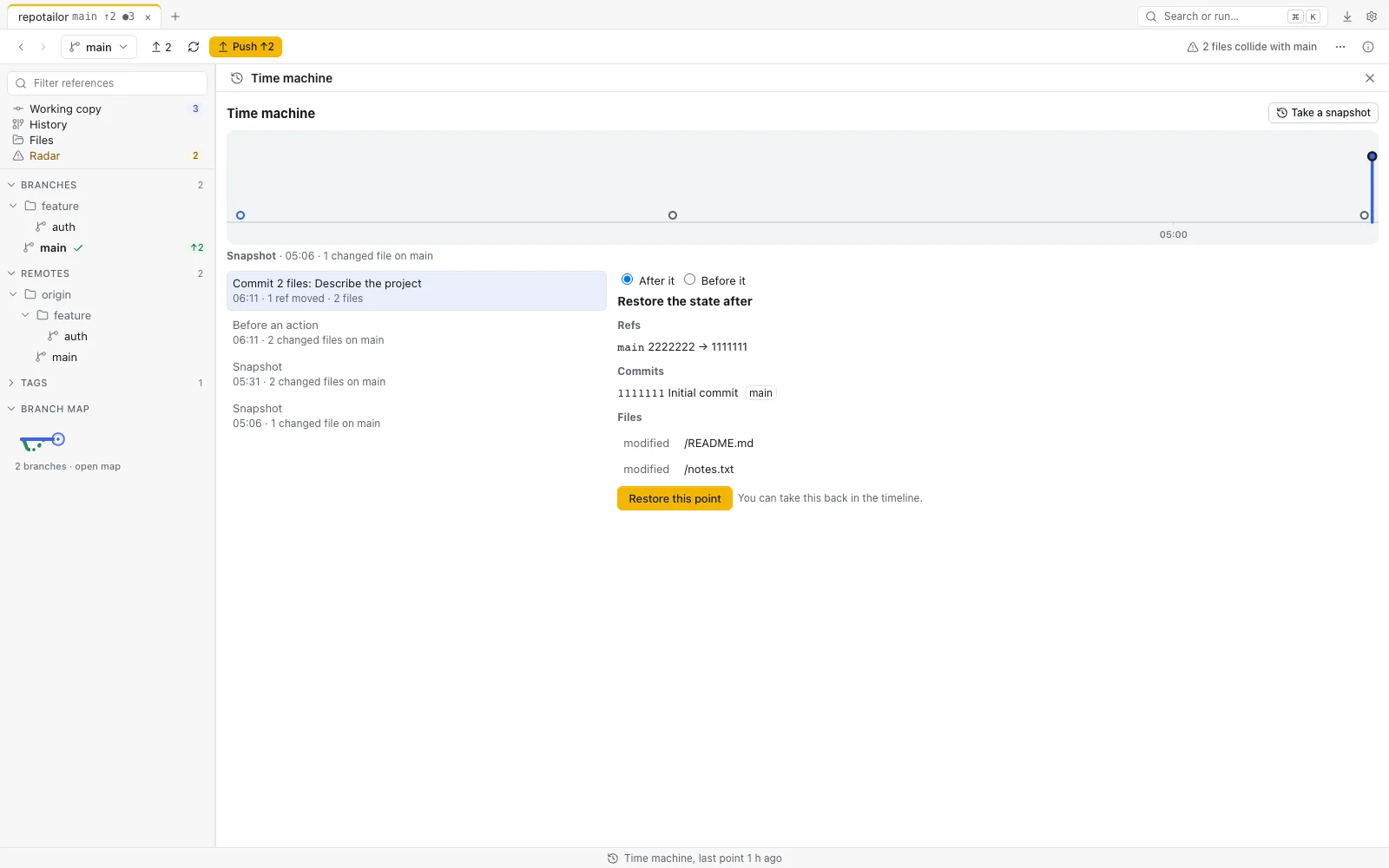
Time machine with a time axis with marks for operations and snapshots, the list of points and a preview with the ref move and files.
Time machine with a time axis and a preview.

Backups before rewriting

Before every rewriting action a backup ref lies under refs/repotailor/backup/. It is an ordinary Git ref; git reflog and git branch show it. A force push is always --force-with-lease; protected branches are locked until you unlock them.
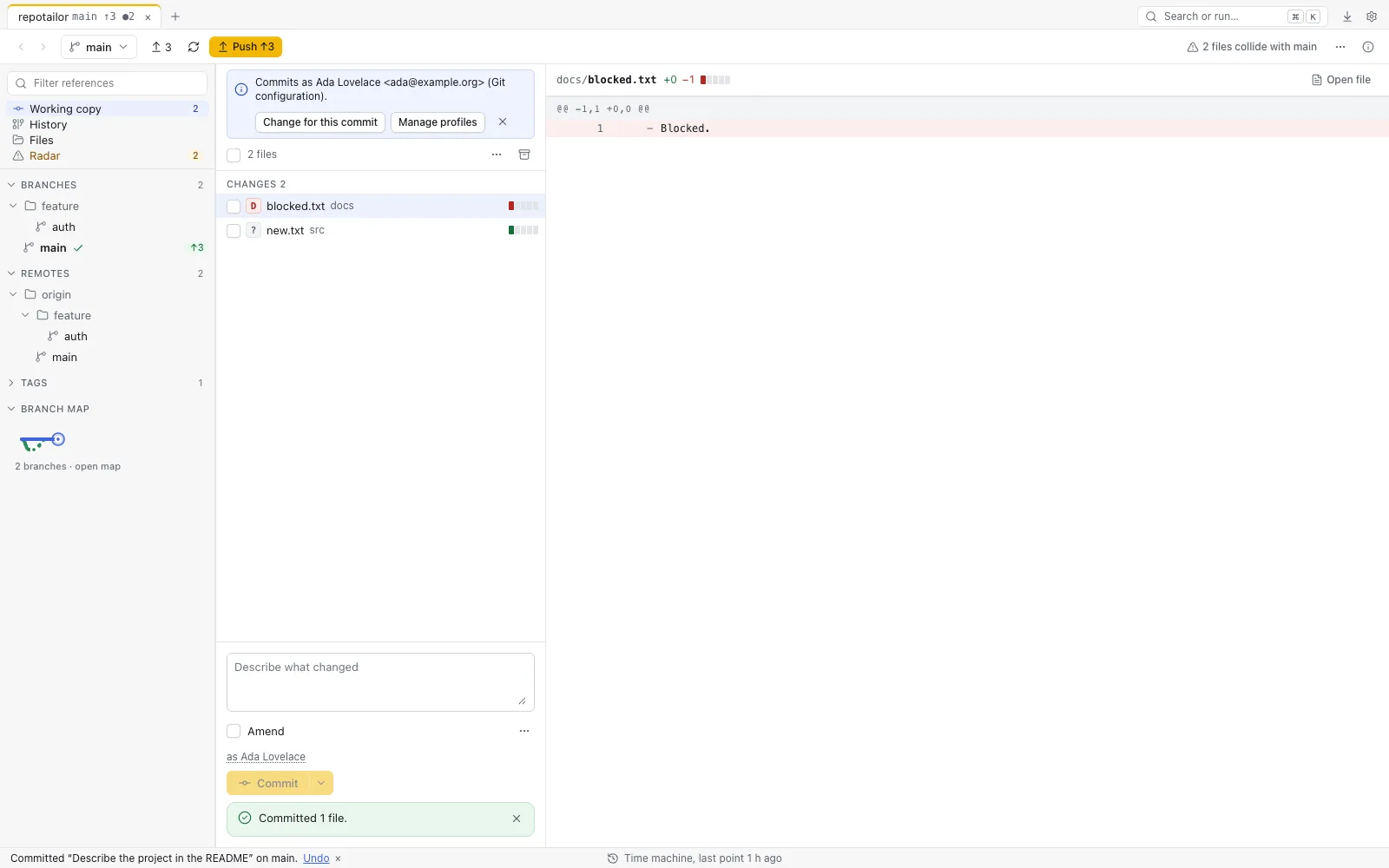
After a commit the status bar reports “Changed the repository” with an Undo link.
After a commit the status bar offers Undo.

The time machine

Snapshots of your working copy lie as refs in the repository and never change the index or working files. Open it with the clock in the status bar or the palette (⌘/Ctrl+K, “Time machine”): a time axis shows marks for operations and snapshots, the preview shows branches, commits, files and diff of that moment. You can bring back one file or the whole state; that is itself an action with undo. Settings: on or off, interval, retention (14 days), largest file (10 MiB).

After an interruption

If the app or the machine stops in the middle of an action, the next start asks: go back to the state before or keep what was done. Both are safe.

Switching branches without a stash

On a switch, uncommitted changes are parked on the branch you leave and brought back when you return. Parked work is part of undo and the time machine.

Secret protection

A scan runs before every commit and push. A finding can be allowed with the marker repotailor-scan:allow. If a secret is already committed, the rescue helps (with a dry run and undo).

Sources on this page

The superscript numbers in the text point here. Tap one to see the source right where it is used; all sources of this website are listed on one page.

  1. 1

    Undo for every action ↑Product · RepoTailor core repository, CLAUDE.md (Produktprinzip 3; Welle 2, Strang B), website/docs/03-undo-and-time-machine.md, docs/wellen/welle-2.md · checked on 2026-11-29

  2. 2

    Time machine ↑Product · RepoTailor core repository, docs/wellen/welle-2.md (Datenmodell, Strang A), website/docs/03-undo-and-time-machine.md · checked on 2026-11-29

  3. 3

    Switching branches without a stash ↑Product · RepoTailor core repository, docs/wellen/welle-2.md (Strang E), website/docs/03-undo-and-time-machine.md · checked on 2026-11-29

  4. 4

    Secret protection ↑Product · RepoTailor core repository, CLAUDE.md (Produktprinzip 4), docs/wellen/welle-2.md (Strang F), docs/wellen/welle-1.md (Commit und Sync) · checked on 2026-11-29

Frequently asked

Short answers.

Can I undo a push?
Yes, while the remote still holds the pushed value; on protected branches only with a setting, otherwise RepoTailor suggests a revert.
Does the time machine bring back never-committed work?
Yes, from the snapshots: every five minutes on changes and always before an action.
What happens if the app crashes in the middle of an action?
The next start asks whether to go back to the state before or keep what was done.

Your question isn’t here? Talk to me: +43 664 1964199 office@clouddna.at Get in touch

Contact

A Git client where nothing gets lost? Talk to us.

Free is free and stays free. For a question, for moving over from GitKraken, Tower, Fork or Sourcetree, for the SAP plugins or for a wish for Pro: write to me. I reply within one working day, personally.

Martin KochManaging Director, CloudDNAI read every request myself and reply personally.